Defines a way for bytecode (Compiled from Java or Kotlin) to interact with native code (written in C/C++).
Use cases for native code on Android
- Ports of popular libraries and frameworks, e.g. Unity game engine.
- Need for functionality not provided by Android Runtime.
- Packing, obfuscation and other adversarial techniques
Java Native Interface Specification Contents
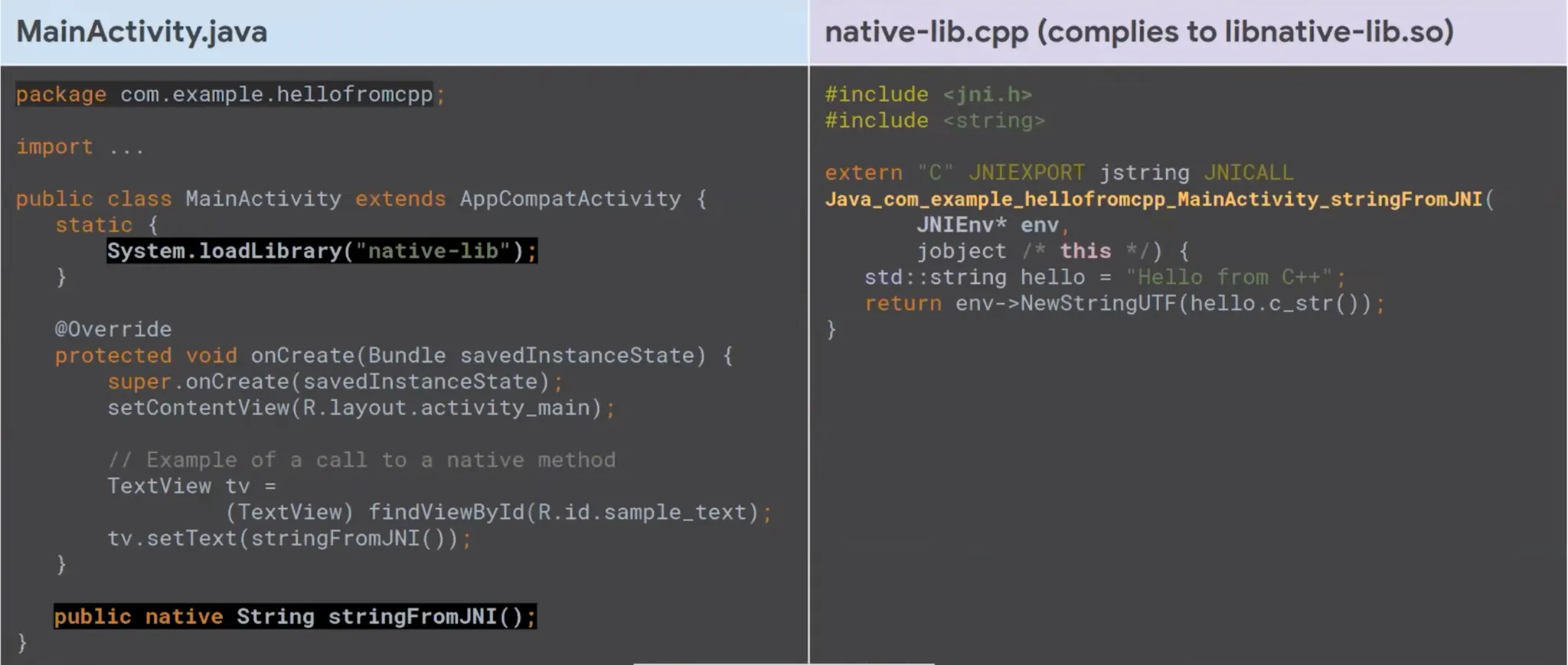
One of the most important parameters in native functions is JNIEnv(Java Interface Environment) pointer. This pointer refer to array of other pointers that they are helper function for native code to interact with Android API.
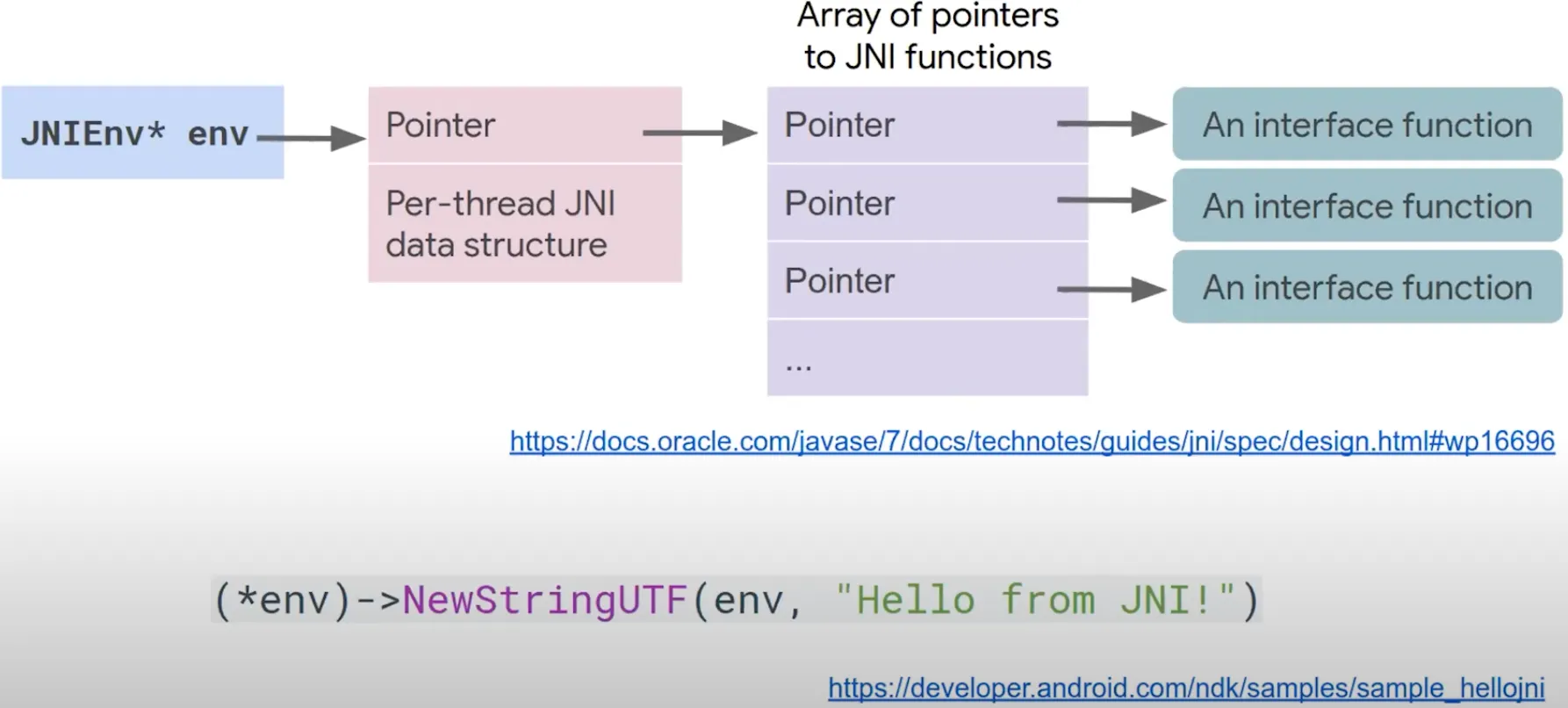
How to call native methods from Java
You call the native methods in Java, we need to fist register native methods to be accessible by Java. There are two methods to do this job.
Runtime Discovery
- Exported native methods must be appropriately named, i.e.
Java_your_class_path_methodName (e.g. Java_lab_seczone64_MainActivity_stringFromJNI)
Explicitly register your exported methods using RegisterNatives function.
// Find your class. JNI_OnLoad is called from the correct class loader context for this to work.
jclass c = env->FindClass("com/example/app/package/MyClass");
if (c == nullptr) return JNI_ERR;
// Register your class' native methods.
static const JNINativeMethod methods[] = {
{"nativeFoo", "()V", reinterpret_cast<void*>(nativeFoo)},
{"nativeBar", "(Ljava/lang/String;I)Z", reinterpret_cast<void*>(nativeBar)},
};
int rc = env->RegisterNatives(c, methods, sizeof(methods)/sizeof(JNINativeMethod));
Now where we should place this code?
JNI_OnLoad
- The first function to be executed after
System.loadLibrary(”native-libs”)
- Also it’s possible to place this code in another exported function and then call it from Java
- There is a pointers array which point to list of function address which named
.init_array. You can use this too.
The final code:
extern "C" JNIEXPORT jint JNICALL
fac(
JNIEnv *env,
jobject mainActivity,
jint num
){
if(num == 0){
return 1;
}
return num * fac(env, mainActivity, num-1);
}
JNIEXPORT jint JNI_OnLoad(JavaVM* vm, void* reserved) {
JNIEnv* env;
if (vm->GetEnv(reinterpret_cast<void**>(&env), JNI_VERSION_1_6) != JNI_OK) {
return JNI_ERR;
}
// Find your class. JNI_OnLoad is called from the correct class loader context for this to work.
jclass c = env->FindClass("lab/seczone64/nativereverseengineering/MainActivity");
if (c == nullptr) return JNI_ERR;
// Register your class' native methods.
static const JNINativeMethod methods[] = {
{"fac", "(I)I", reinterpret_cast<void*>(fac)}
};
int rc = env->RegisterNatives(c, methods, sizeof(methods)/sizeof(JNINativeMethod));
if (rc != JNI_OK) return rc;
return JNI_VERSION_1_6;
}
Read this please:
JNI tips | Android NDK | Android Developers
JNI Types and Data Structures
Reverse Engineering of Native Libs
There is a problem when you want reverse engineering a native library. When you open the library with Ghidra you will see all codes like this:
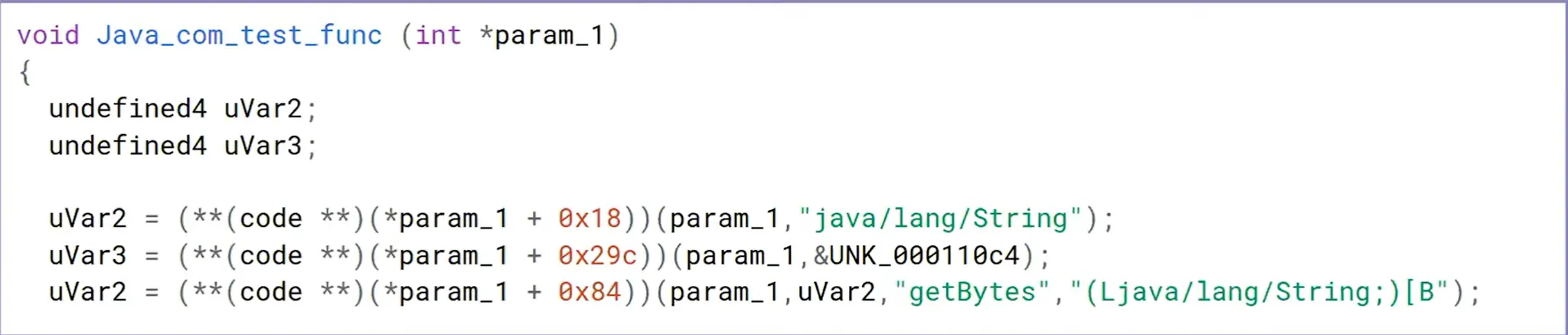
The problem:
- Argument int
*param_1 should be JNIEnv*
- **(code **)(*param_1 +0×18) points at some JNI helper function
The solution:
- We need to make
Ghidra aware of JNI structures
Method 1
Thankfully, there’s a way to get the JNI function without doing all of this manually! In both the Ghidra and IDA Pro decompilers you can re-type the first argument in JNI functions to JNIEnv * type and it will automatically identify the JNI Functions being called. In IDA Pro, this work out of the box. In Ghidra, you have to load the JNI types (either the jni.h file or a Ghidra Data Types archive of the jni.h file) first. For ease, we will load the JNI types from the Ghidra Data Types archive (gdt) produced by Ayrx and available here. For ease, this file is available in the VM at ~/jni_all.gdt.
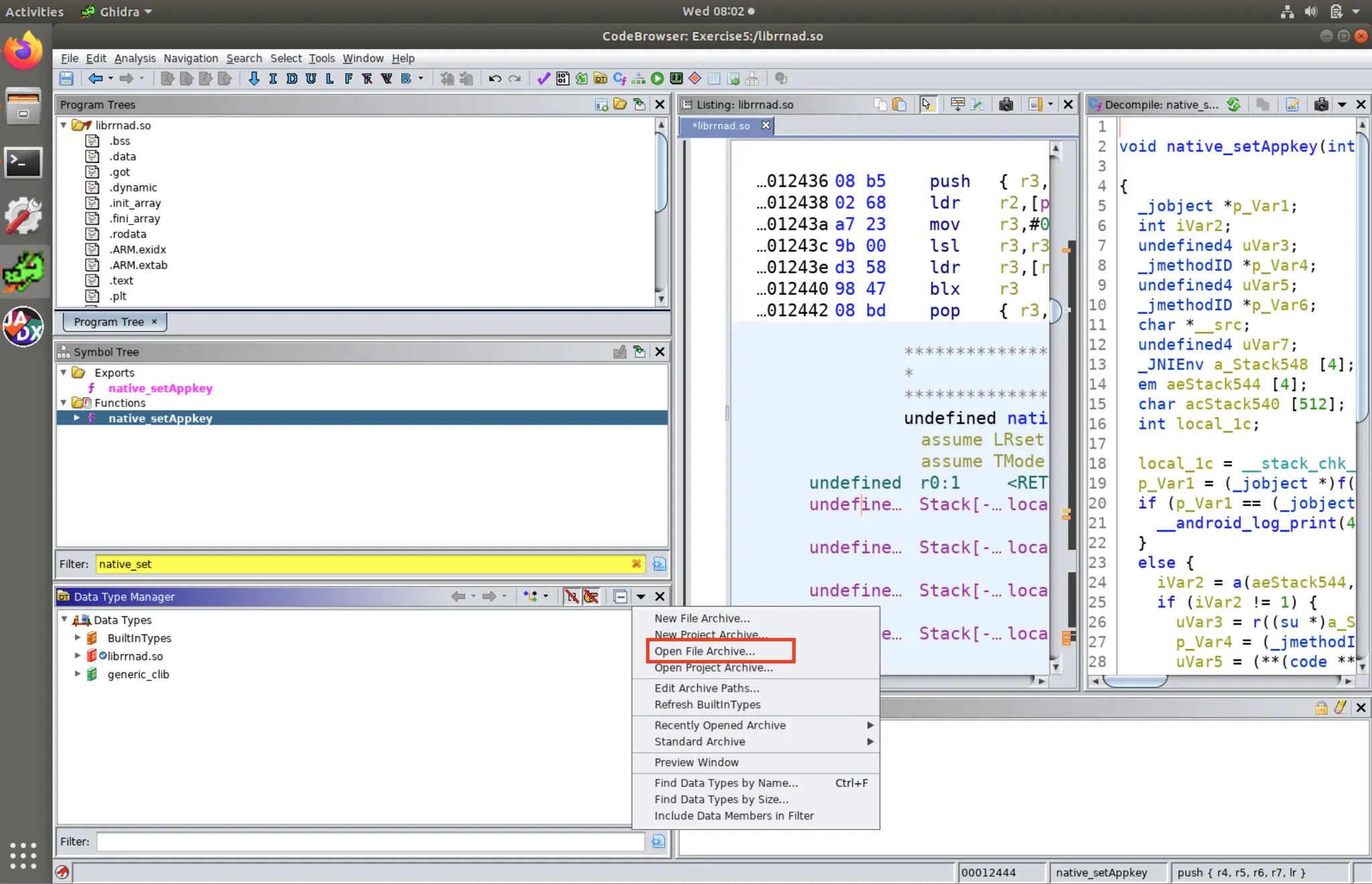
To load it for use in Ghidra, in the Data Type Manager Window, click on the down arrow in the right-hand corner and select “Open File Archive”.
![Screenshot of Open File Archive Menu]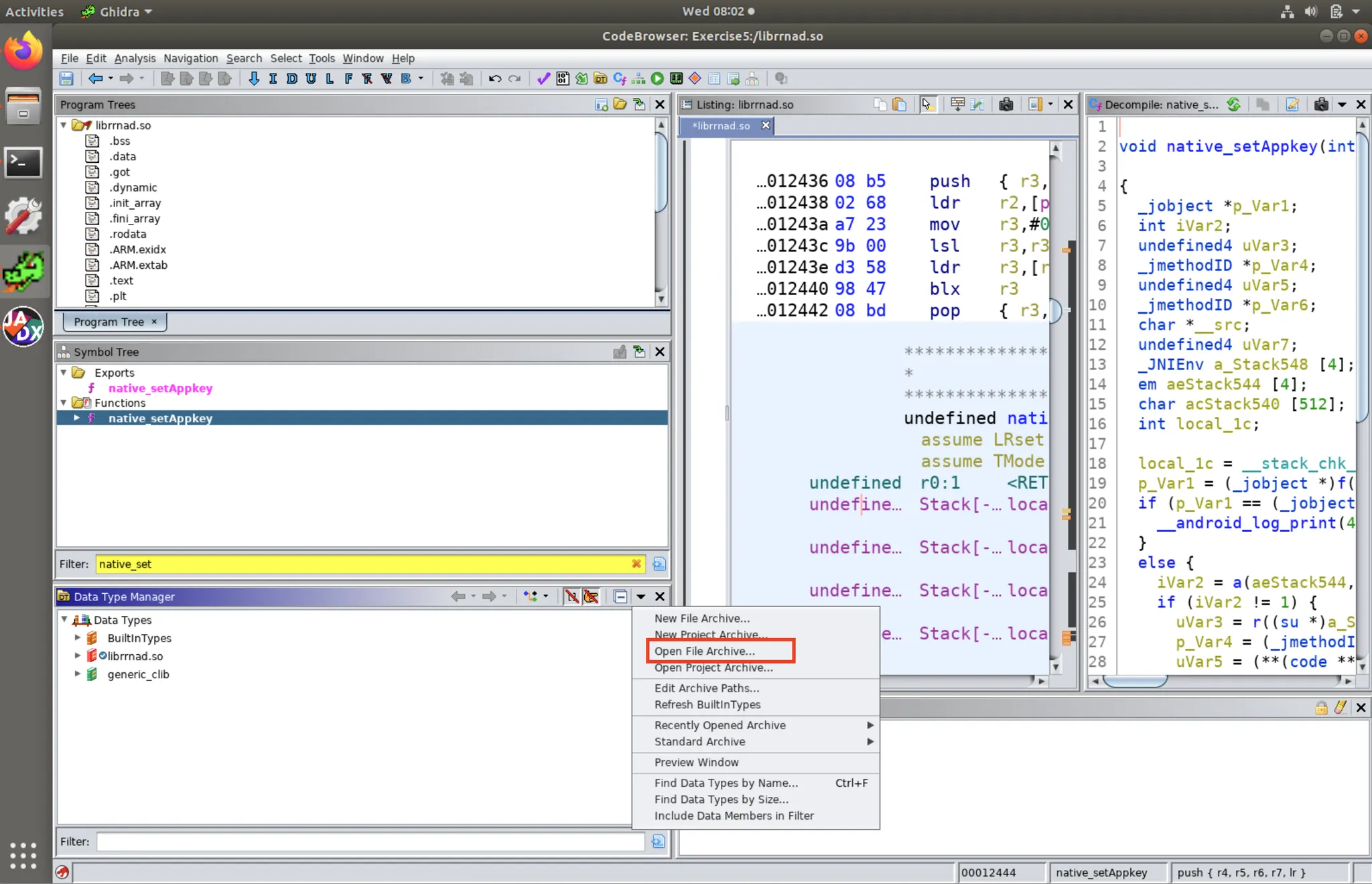
Screenshot of Open File Archive Menu
Then select jni_all.gdt file to load. Once it’s loaded, you should see jni_all in the Data Type Manager List as shown below.
![Screenshot of jni_all Loaded in Data Type Manager]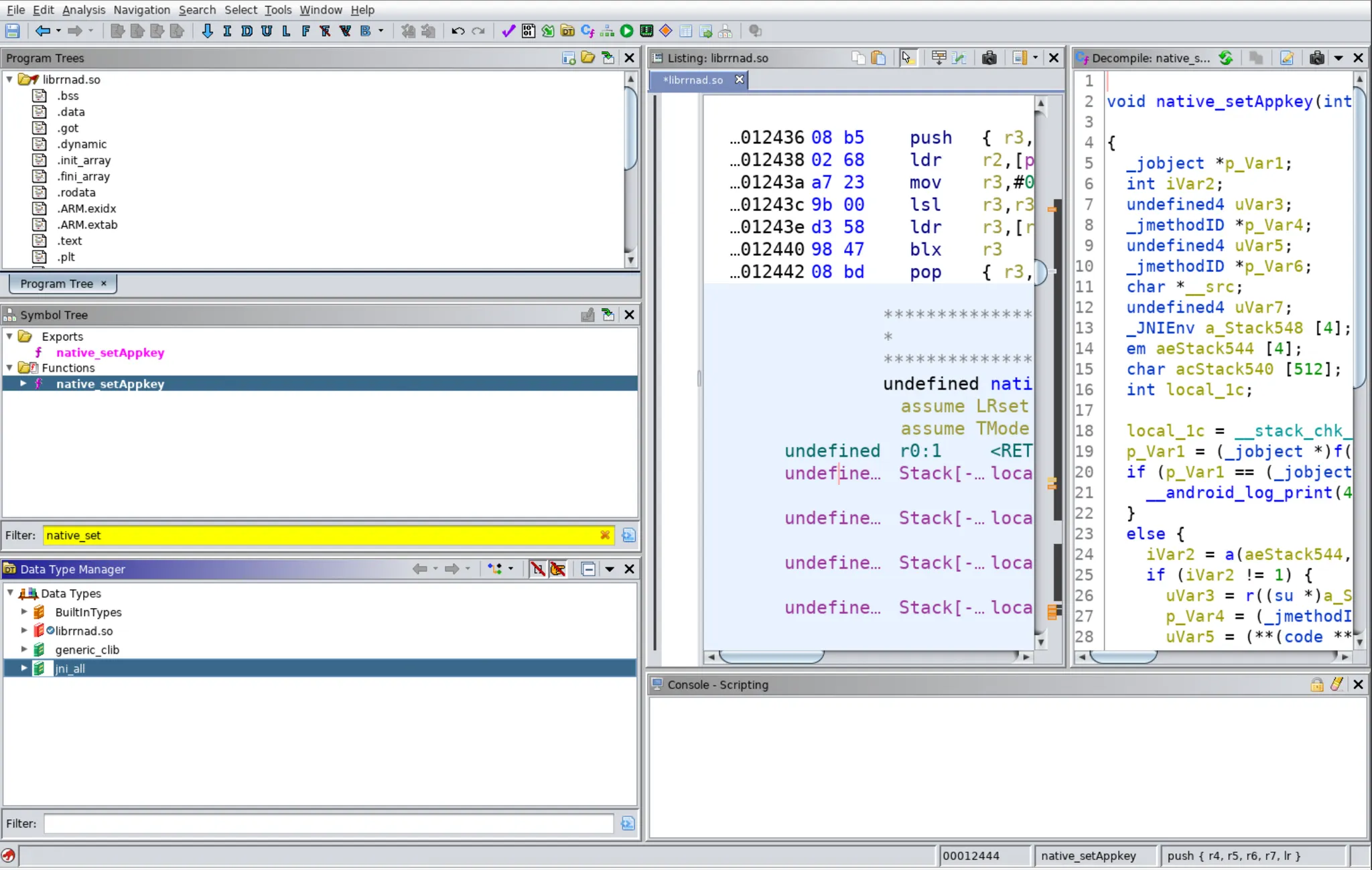
Screenshot of jni_all Loaded in Data Type Manager
Once this is loaded in Ghidra, you can then select any argument types in the decompiler and select “Retype Variable”. Set the new type to JNIEnv *. This will cause the decompiler to now show the names of the JNIFunctions called rather than the offsets from the pointer.
![Screenshot of JNI Function names after the argument was Re-Typed to JNIEnv*] 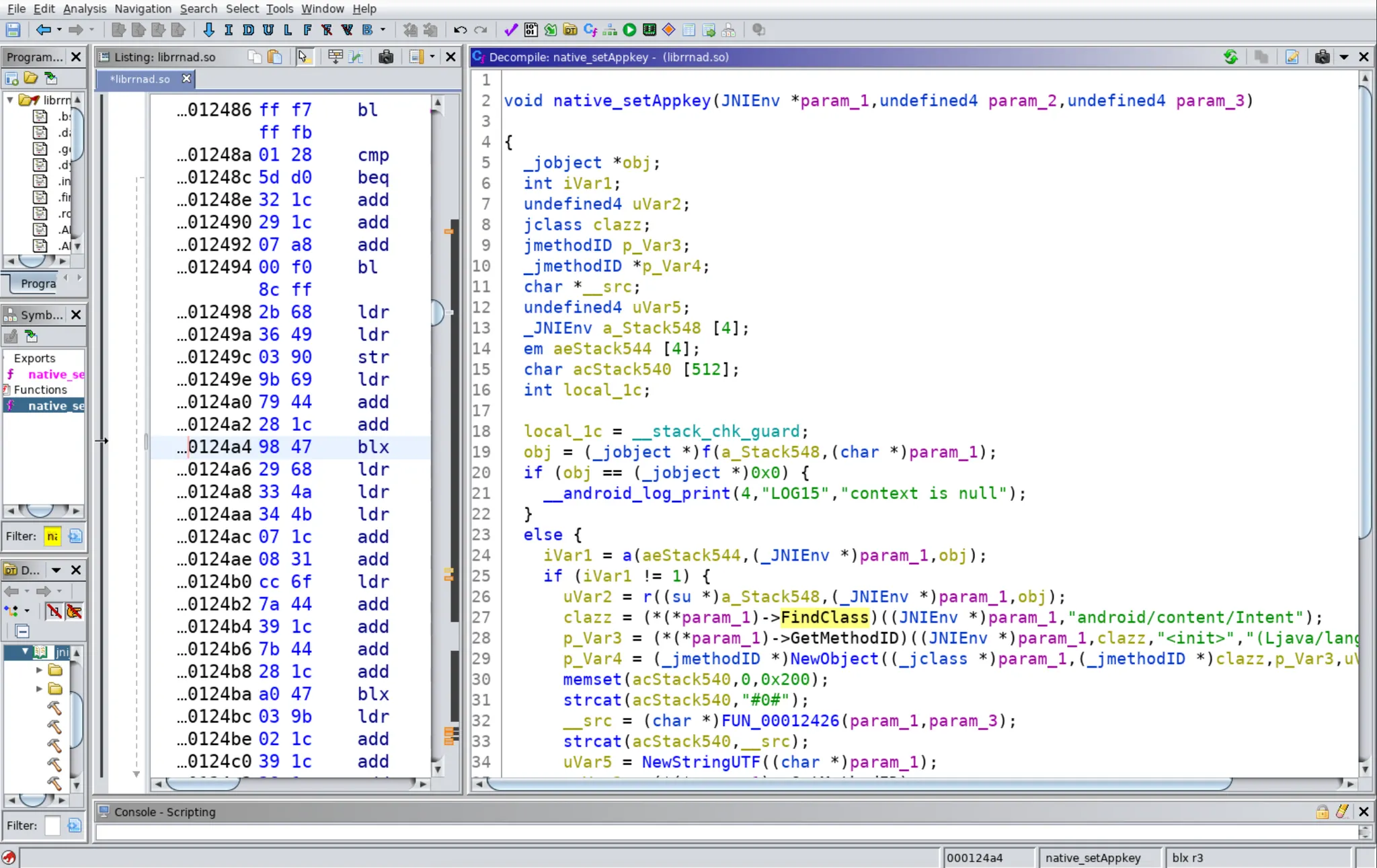
Screenshot of JNI Function names after the argument was Re-Typed to JNIEnv*
