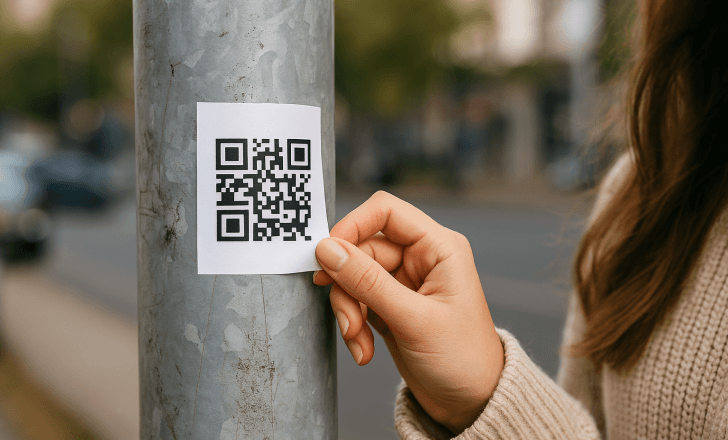
Till now many of us are aware of Phishing, Vishing and other social engineering tricks.
But another attack surface is gaining its own popularity which is
QR QR QR QR!!
QR codes have become a normal part of our daily lives. From restaurant menus and UPI payments to login authentication and event registrations, we scan QR codes without thinking twice.
But cybercriminals are now exploiting this convenience through a new attack technique called QR Code Hijacking, commonly known as Quishing.
In this blog, we’ll break down what Quishing is, how it works, real-world examples, and most importantly how you can protect yourself from it.
What is Quishing?
Quishing (QR Phishing) is a cyberattack where attackers use malicious QR codes to trick users into visiting fraudulent websites, downloading malware, or revealing sensitive information.
Unlike traditional phishing emails where you can inspect a link before clicking it, QR codes hide the URL behind the scan. This makes it much easier for attackers to deceive victims.
In simple terms:
`Quishing = Phishing attack delivered through QR codes.
`Why Are Quishing Attacks Increasing?
There are several reasons why attackers are shifting toward QR-based attacks:
1. People Trust QR Codes
Most people assume QR codes are safe because they are commonly used by businesses, banks, and government services.
2. Hidden URLs
You cannot easily see where a QR code will redirect you until after scanning it.
3. Mobile Device Targeting
QR codes are mostly scanned using smartphones, where security monitoring is often weaker than desktop environments.
4. Physical Placement
Attackers can place malicious QR codes on posters, parking meters, restaurants, or public areas.
How a Quishing Attack Works
A typical Quishing attack usually follows these steps:
Step 1: Attacker Creates a Malicious QR Code
The attacker generates a QR code that contains a link to a phishing website.
Step 2: QR Code is Placed in Public or Online
The attacker distributes the QR code through:
- Emails
- Posters
- Stickers placed over legitimate QR codes
- Social media
- Fake payment requests
Step 3: Victim Scans the QR Code
A user scans the QR code believing it is legitimate.
Step 4: Victim is Redirected to a Fake Website
The QR code opens a malicious page that may:
- Ask for login credentials
- Request banking details
- Prompt malware download
- Mimic trusted services
Step 5: Data Theft or Device Compromise
Once the victim submits information, attackers steal the data or compromise the device.
Real-World Quishing Examples
Fake Parking Payment QR Codes
Attackers place fake QR codes on parking meters that redirect users to fraudulent payment websites
Restaurant Menu Replacement
In some cases, attackers replace restaurant QR menu codes with malicious ones that lead to phishing sites.
Crypto Wallet Scams
Fake QR codes are used to trick users into sending cryptocurrency to attacker-controlled wallets.
Now, you are aware of Quishing..
The main motive is not just studying about attacks, you must be able to identify these attacks in real life then there will be the value of your studying.
See you in the next blog..🙌
