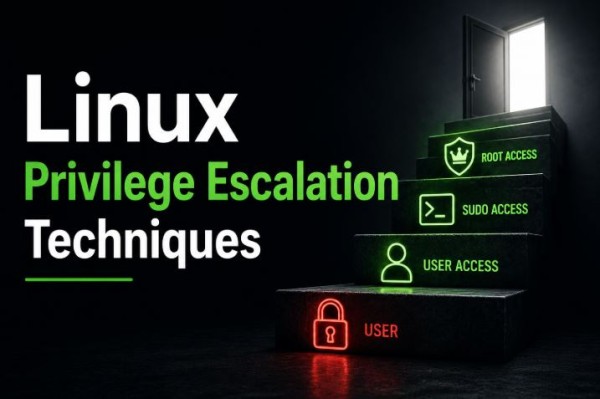
Linux powers millions of servers, cloud platforms, web applications, and enterprise environments worldwide. Because of its widespread use, Linux systems are a common target during security assessments and cyberattacks.
One of the most important concepts in Linux security is Privilege Escalation.
After gaining access to a system with a limited account, an attacker may attempt to obtain higher privileges by exploiting misconfigurations or weak security practices. Understanding how privilege escalation occurs helps administrators secure their systems and helps security professionals identify risks during authorized assessments.
In this guide, we’ll explore common Linux privilege escalation techniques, why they happen, and how to prevent them.
What is Privilege Escalation?
Privilege Escalation is the process of gaining higher permissions than originally intended on a system.
For example:
- A standard user gaining administrator (root) privileges.
- A service account accessing files it should not.
- An application running with more permissions than necessary.
Privilege escalation usually happens because of configuration mistakes, excessive permissions, outdated software, or insecure system design.
Why Should You Learn Linux Privilege Escalation?
Understanding privilege escalation helps you:
- Secure Linux servers.
- Perform effective security assessments.
- Prepare for penetration testing certifications.
- Improve incident response investigations.
- Detect common system weaknesses.
- Build stronger system hardening strategies.
Learning these concepts is valuable for both defenders and authorized security testers.
Common Causes of Privilege Escalation
Many privilege escalation opportunities are caused by everyday administrative mistakes.
Examples include:
- Weak file permissions
- Misconfigured services
- Excessive user privileges
- Outdated software
- Insecure scheduled tasks
- Poor password management
- Unnecessary software packages
Most successful attacks exploit these kinds of weaknesses rather than sophisticated vulnerabilities.
Common Linux Privilege Escalation Techniques
1. Weak File Permissions
Linux uses file permissions to control access.
If sensitive files or executables have incorrect permissions, unauthorized users may gain capabilities they should not have.
Examples include:
- World-writable files
- Writable configuration files
- Incorrect ownership
- Excessive directory permissions
Prevention
- Apply the Principle of Least Privilege.
- Regularly audit permissions.
- Review ownership of sensitive files.
- Remove unnecessary write access.
2. Sudo Misconfigurations
The sudo mechanism allows users to execute specific administrative commands.
If permissions are configured too broadly, users may gain access beyond what is required for their role.
Prevention
- Review sudo policies regularly.
- Grant only required administrative permissions.
- Remove unused privileged accounts.
- Audit administrative activity.
3. Scheduled Tasks
Automated jobs run by system schedulers can become security risks if they execute scripts or files with insecure permissions.
Poorly secured scheduled tasks may allow unauthorized modification of scripts or configurations.
Prevention
- Restrict access to scheduled task files.
- Secure automation scripts.
- Review scheduled jobs periodically.
4. Running Services
Services often run continuously in the background.
Misconfigured services or services running with unnecessary privileges increase the attack surface.
Prevention
- Run services using dedicated low-privilege accounts.
- Disable unused services.
- Update service software regularly.
5. Environment Variables
Applications sometimes rely on environment variables for configuration.
Poor validation or unsafe usage can introduce unexpected behavior or security risks.
Prevention
- Validate application inputs.
- Limit inherited environment variables.
- Avoid relying on untrusted user-controlled values.
6. Outdated Software
Old software versions may contain publicly known vulnerabilities.
Keeping systems updated is one of the most effective ways to reduce privilege escalation risk.
Prevention
- Apply security updates promptly.
- Remove unsupported software.
- Regularly scan for vulnerabilities.
7. Insecure Credentials
Weak passwords, exposed SSH keys, or improperly stored credentials may allow unauthorized access to privileged accounts.
Prevention
- Use strong passwords.
- Enable Multi-Factor Authentication where possible.
- Rotate credentials regularly.
- Protect SSH private keys.
8. Sensitive Files
Systems often contain configuration files with sensitive information such as:
- API tokens
- Database credentials
- SSH configuration
- Service credentials
- Application secrets
Improper protection of these files increases security risk.
Prevention
- Restrict file access.
- Store secrets securely.
- Encrypt sensitive information.
- Monitor access to confidential files.
Linux Security Audit Checklist
When performing a security review, consider checking:
- User accounts
- Group memberships
- Administrative permissions
- File ownership
- File permissions
- Scheduled tasks
- Running services
- Installed software
- Open network ports
- SSH configuration
- System logs
- Password policies
- Security updates
Regular audits help identify weaknesses before they become security incidents.
Linux Hardening Best Practices
Strengthening a Linux system reduces the likelihood of privilege escalation.
Recommended practices include:
- Apply the Principle of Least Privilege.
- Remove unnecessary software packages.
- Keep systems updated.
- Use strong authentication.
- Enable firewall protection.
- Secure SSH access.
- Monitor system logs.
- Restrict administrative accounts.
- Review permissions regularly.
- Disable unused services.
Security should be treated as an ongoing process rather than a one-time task.
Tools Commonly Used for Security Auditing
System administrators and security teams often use tools to identify potential weaknesses and verify secure configurations.
Examples include:
- Linux audit frameworks
- Vulnerability scanners
- Configuration compliance tools
- File integrity monitoring solutions
- Log analysis platforms
- Endpoint detection and response (EDR) tools
These tools assist with visibility and compliance but should be combined with manual reviews.
Real-World Example
Imagine an organization deploys a Linux web server.
During a routine security audit, the team discovers:
- An outdated application package
- A scheduled task with overly broad permissions
- Unnecessary administrative access for a service account
Although no compromise has occurred, correcting these issues significantly reduces the system’s exposure to future attacks.
This illustrates why regular security assessments are essential.
Common Mistakes
Organizations frequently make mistakes such as:
- Granting excessive administrative permissions.
- Leaving unused accounts active.
- Delaying security updates.
- Ignoring audit logs.
- Using weak authentication policies.
- Failing to review scheduled tasks.
- Storing credentials insecurely.
Addressing these issues greatly improves overall security.
The Future of Linux Security
As Linux continues to power cloud platforms, containers, Kubernetes clusters, and enterprise servers, protecting privileged access will remain a top priority.
Emerging trends include:
- Zero Trust administration
- Passwordless authentication
- AI-assisted security monitoring
- Automated compliance auditing
- Cloud-native Linux security
- Behaviour-based threat detection
Organizations adopting these technologies can reduce operational risk while improving visibility into privileged activity.
