Holehe: A Look at the Popular Email OSINT Tool
Introduction
If you work in cybersecurity, digital investigation, or ethical hacking, you have probably heard the term OSINT, short for Open Source Intelligence. One of the most useful applications of OSINT is figuring out where an email address is used across the internet. This is where Holehe, a popular email OSINT tool, comes in.
In this guide, we will explain what Holehe is, how it works, why security professionals rely on it, and how you can use it responsibly. Whether you are a penetration tester, a researcher, or simply someone curious about digital footprints, this article covers everything you need to know about this email OSINT tool.
What Is Holehe?
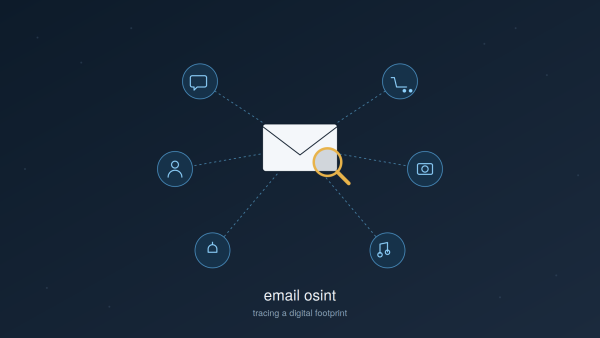
Holehe is a free and open source command line tool built in Python. Its main purpose is simple: given an email address, it checks whether that email is registered on a long list of popular websites and online services. It does this without sending any password reset link and without alerting the account holder in most cases.
This makes Holehe one of the most efficient email OSINT tools available today for anyone who needs to map a digital footprint quickly and quietly.
Key Features of This Email OSINT Tool
- Checks an email address against 100 plus websites and platforms
- Works silently, with no notification sent to the account owner in most cases
- Free and open source, so anyone can inspect or modify the code
- Fast, lightweight, and easy to run from the command line
- Regularly updated by the community to add new services
How Does an Email OSINT Tool Like Holehe Work?
Many websites behave differently depending on whether an email address is already registered. For example, during account creation, a site might say “this email is already in use.” During a password reset request, a site might confirm or deny that an account exists tied to that address.
Holehe automates the process of sending requests to these registration and password recovery endpoints, then reads the response to figure out if the email exists on that platform. It repeats this process across dozens of services in seconds, saving investigators hours of manual checking.
This method is considered a passive OSINT technique, since it uses publicly available website behavior rather than exploiting a vulnerability or attempting unauthorized access.
Why Use an Email OSINT Tool?
There are several real world reasons people search for email OSINT tools like Holehe:
1. Digital Investigations and Journalism
Investigators and journalists often need to trace how a suspicious email address is connected to online accounts. This can help verify identities, uncover fraud, or support research during sensitive investigations.
2. Penetration Testing and Red Team Assessments
During an authorized security engagement, ethical hackers use email OSINT tools to understand an organization’s digital exposure. Knowing which platforms an employee email is linked to helps assess social engineering risk, always within the boundaries of a signed agreement.
3. Personal Digital Hygiene
You can also run Holehe against your own email address to discover forgotten accounts you no longer use. This is a smart way to clean up your digital footprint and reduce your exposure in future data breaches.
4. Threat Intelligence Research
Security teams sometimes use email OSINT tools to check whether an email found in a data leak or phishing campaign is tied to real accounts across popular platforms.
How to Install Holehe
Getting started with this email OSINT tool is simple. Since it is built in Python, installation only takes one command:
pip install holehe
Once installed, you can run it directly from your terminal against any email address, and it will return a clean list of the platforms where a match was found.
Benefits of Using Holehe Over Manual Checking
Manually checking dozens of websites one by one to see if an email is registered would take hours. An automated email OSINT tool like Holehe reduces that process to seconds. Some of the biggest advantages include:
- Massive time savings compared to manual research
- Consistent and repeatable results
- No need for advanced coding knowledge to run basic checks
- Free to use, with no subscription or licensing cost
- Actively maintained, with new website modules added regularly
Limitations to Keep in Mind
No OSINT tool is perfect, and Holehe is no exception. A few limitations worth noting:
- Accuracy changes over time. Websites frequently update their systems, so a check that worked last month might not work today until the tool is updated.
- Rate limiting. Some platforms may temporarily block or throttle repeated automated requests.
- Not a guarantee. A negative result does not always mean an account does not exist. It simply means the tool could not confirm a match.
- Requires updates. Because it depends on how third party websites respond, ongoing maintenance is needed to keep results reliable.
Is Using an Email OSINT Tool Legal and Ethical?
This is one of the most common questions people ask about email OSINT tools, and it deserves a clear answer. Holehe itself does not break into accounts or bypass security. It simply checks publicly observable website behavior. That said, how you use the information matters.
Responsible and ethical use includes:
- Checking your own email addresses for personal digital hygiene
- Using it during authorized penetration tests with written permission
- Supporting legitimate investigative journalism or fraud investigations
- Following your local laws and organizational policies around privacy and data use
Using an email OSINT tool to stalk, harass, or investigate someone without a lawful reason is not acceptable and may violate privacy laws depending on your country. Like most OSINT tools, Holehe is dual use, meaning the same technique that helps a security researcher can be misused by a bad actor. Always make sure you have a legitimate and authorized purpose before running any OSINT tool on someone else’s email address.
Alternatives to Holehe
While Holehe is one of the most popular email OSINT tools, it is not the only one. Depending on your specific need, you might also come across tools like:
- Sherlock, which focuses more broadly on username enumeration across platforms
- Maigret, an extended username OSINT tool with a large database of sites
- theHarvester, which focuses on gathering emails, subdomains, and hosts for a target domain
Each tool has a different focus, so combining a few of them often gives a more complete picture during an investigation.
Frequently Asked Questions
Is Holehe free to use?
Yes, Holehe is completely free and open source.
Does Holehe notify the account owner when I check their email?
In most cases, no. Holehe uses passive checks that typically do not send any notification to the account owner, though this can depend on the specific website.
Can I use Holehe on any email address?
Technically yes, but you should only do so with proper authorization or on your own email addresses to stay within legal and ethical boundaries.
What programming language is Holehe written in?
Holehe is written in Python, which is also why it is easy to install using pip.
Conclusion
Holehe is a powerful, free, and easy to use email OSINT tool that helps uncover which online platforms an email address is linked to. Whether you are a security professional conducting an authorized assessment, a journalist verifying digital identities, or simply someone who wants to clean up their own online footprint, this tool offers a fast and efficient way to gather that information.
As with any OSINT tool, the key is responsible use. Always operate within legal boundaries and with proper authorization, and treat the information you gather with care.
Disclaimer: This article is for educational purposes only. Always ensure you have proper authorization before investigating any email address that does not belong to you.
