If you work in a Security Operations Center (SOC), you’ve probably stared at an alert and wondered: what even is this IP address? Is it a normal cloud server, or is someone trying to break in?
That’s exactly where OSINT comes in. OSINT, short for open-source intelligence, is information anyone can find for free online. SOC analysts use it to work out whether a suspicious domain, file, or IP is dangerous, often in just a few minutes.
The best part? You don’t need expensive tools to start. Most of the sources SOC teams rely on every day cost nothing.
In this guide, you’ll learn:
- What OSINT is and how it differs from paid threat intelligence
- The six most common ways SOC teams use OSINT
- Free OSINT tools worth bookmarking
- A real-world example of investigating a phishing email
- The mistakes beginners make, and how to avoid them
What Is OSINT? A Simple Definition
OSINT is any information that’s publicly available and legal to access. For security teams, that usually means things like:
- Who registered a website and when (WHOIS records)
- Which IP addresses a domain points to (DNS records)
- Whether antivirus engines have flagged a file or link
- Reports and blog posts from security researchers
- Public lists of known malicious IPs and domains
“Open” doesn’t mean low quality. It just means you didn’t have to hack your way to it.
In a SOC, OSINT is mostly about answering small, specific questions fast. You’re not writing a 50-page report. You’re trying to decide, before your coffee goes cold, whether an alert is a real threat or a false alarm.
A few terms you’ll see in this guide
| Term | What it means |
|---|
| SOC | Security Operations Center: the team that watches an organization’s systems for attacks, often around the clock |
| IOC | Indicator of compromise: a clue that something bad happened, like a malicious IP, domain, or file hash |
| SIEM | Security Information and Event Management: the tool that collects logs and raises alerts |
| SOAR | Security Orchestration, Automation and Response: a tool that automates repetitive investigation steps |
| TIP | Threat Intelligence Platform: one place to store, clean up, and share IOCs |
OSINT vs. paid threat intelligence
Many companies also buy commercial threat intelligence feeds. The two aren’t rivals. Think of OSINT as the free or an affordable public library, and paid intel as a research service that does some of the reading for you.
| OSINT | Paid threat intelligence |
|---|
| Cost | Free or low cost (your time is the main cost) | Subscription fees |
| Coverage | Huge, but quality varies | Smaller, but checked by the vendor |
| Speed | Often first to spot new threats | A little slower while it’s vetted |
| Context | Raw data you interpret yourself | Comes with analysis and confidence scores |
Most mature SOCs use both, and use each to double-check the other.
Why OSINT Matters for SOC Teams
SOC analysts deal with a lot of alerts, and most of them turn out to be harmless. The hard part isn’t seeing an alert. It’s getting enough context to make a good decision quickly.
OSINT gives you that context. A bare IP address tells you nothing. But “this IP belongs to a hosting provider known for abuse, and 12 security vendors flagged it last week” tells you a lot.
Used well, OSINT helps a SOC:
- Triage alerts faster and with more confidence
- Cut down on false positives
- Spot threats before they reach the network
- Understand an attack while it’s happening
- Decide which vulnerabilities to patch first
6 Common OSINT Use Cases in a SOC
1. Enriching alerts during triage
This is where most beginners use OSINT first. When an alert fires, you look up the IP, domain, URL, or file hash in a few trusted sources. Is it known to be malicious? How old is the domain? Who hosts it?
Many SOCs automate this step, so the alert arrives with the answers already attached. A domain registered three days ago and flagged by 14 engines doesn’t need much more thought.
2. Threat hunting
Threat hunting means searching your own environment for attackers your tools haven’t caught yet. OSINT gives hunters ideas. A researcher publishes a report on a new malware campaign, and you search your logs for the IPs, domains, and behaviors it describes.
3. Finding your own exposed assets
Attackers use OSINT to scout their targets. You can use the same tricks on your own company first. Public sources can reveal forgotten subdomains, servers with open remote-access ports, or cloud storage left open to the internet. This is often called external attack surface management.
4. Watching for brand abuse and leaked credentials
Some threats never touch your network until it’s too late. OSINT can warn you early about:
- Lookalike domains registered to phish your employees or customers
- Staff passwords showing up in public data breaches
- API keys or code accidentally pushed to public GitHub repositories
5. Supporting incident response
When something bad does happen, OSINT helps you understand it. Public malware analysis reports can show what a piece of malware does, how it hides on a machine, and which servers it talks to. That tells you where to look next and what to block.
6. Prioritizing vulnerabilities
Thousands of new vulnerabilities (CVEs) are published every year, and nobody can patch them all at once. Free sources like CISA’s Known Exploited Vulnerabilities (KEV) catalog and EPSS scores show which ones attackers are actually using, so you know what to fix first.
Free OSINT Tools Every SOC Analyst Should Know
There are hundreds of OSINT tools out there, and the list changes all the time. Don’t try to learn them all. Pick one or two you trust for each kind of question and get comfortable with them.
| What you want to know | Tools to try |
|---|
| Is this file, link, IP, or domain known to be bad? | VirusTotal, AbuseIPDB, Cisco Talos Intelligence, URLhaus |
| What does this file actually do when it runs? | ANY.RUN, Hybrid Analysis, MalwareBazaar |
| Who owns this domain, and when was it registered? | WHOIS/RDAP lookup tools, DNSDumpster |
| What subdomains does this company have? | crt.sh (certificate transparency logs) |
| What services are open on this server? | Shodan, Censys |
| Is this IP just a harmless internet scanner? | GreyNoise |
| What does this website look like, without visiting it? | urlscan.io |
| Has anyone else reported this threat? | AlienVault OTX, abuse.ch, MISP communities |
| How does this attack technique work? | MITRE ATT&CK |
| Which vulnerabilities are being exploited right now? | CISA KEV catalog, EPSS |
One tip before you automate anything: read each tool’s terms of use. Some free plans don’t allow commercial use or limit how many lookups you can run.
How OSINT Fits Into a SOC Workflow
Looking things up by hand is fine while you’re learning. In a busy SOC, though, the goal is to get OSINT to analysts automatically, right when they need it. Here’s what that usually looks like:
In plain terms:
- OSINT sources supply the raw data: threat feeds, sandbox reports, DNS records, and so on.
- A threat intelligence platform (such as MISP or OpenCTI) collects it, removes duplicates, scores how trustworthy each IOC is, and drops old ones.
- The SIEM checks those IOCs against your live logs and raises an alert when it finds a match.
- SOAR looks up details for each new alert automatically, so the analyst doesn’t have to.
- The analyst reviews the evidence and makes the call.
The arrow going back from the analyst is easy to overlook, but it matters. Every time an analyst marks something as a real threat or a false alarm, that feedback should update the scores in the platform. Over time, your intel gets sharper instead of noisier.
A few habits help:
- Look things up when an alert fires, rather than loading millions of IOCs up front. The data stays fresher and you won’t hit API limits.
- Show evidence, not just a verdict. “Malicious: yes” is less useful than “registered yesterday, flagged by 9 engines, hosted next to known phishing sites.”
- Only auto-block when you’re very sure, ideally when several sources agree.
Example: Investigating a Phishing Email With OSINT
Let’s walk through a common scenario. An employee reports an email that claims to come from the IT team and asks them to “verify” their login through a link. Here’s how an analyst might investigate it with OSINT.
- Pull out the clues. The analyst grabs the sender’s address, the sending IP, and the link from the email.
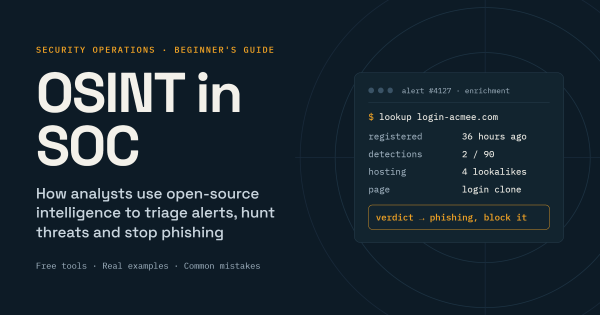
- Check the link’s reputation. Only 2 out of 90 security engines flag it. That sounds reassuring, but it isn’t. A brand-new phishing link often hasn’t been spotted yet.
- Look up the domain. WHOIS shows it was registered 36 hours ago. The name is one letter off from the company’s real login site.
- View the page safely. Instead of clicking, the analyst submits the link to urlscan.io. The screenshot shows a perfect copy of the company’s login page.
- Follow the trail. Passive DNS shows the same server hosts four other lookalike domains aimed at other companies. Certificate logs reveal a fifth domain that isn’t live yet.
- Check who else got it. A quick SIEM search finds 11 more employees received the email. Two clicked, and one entered their password.
- Clean up and share. The team resets that account, blocks all five domains and the IP, and shares the IOCs with their industry’s sharing group so others can block them too.
Without OSINT, this was one suspicious email. With it, the team shut down a whole phishing campaign, including a domain the attacker hadn’t even used yet.
Common OSINT Mistakes (and How to Avoid Them)
OSINT is almost free, but using it carelessly can cause real problems. These are the mistakes beginners make most often.
Trusting a single result. An IP flagged two years ago might be perfectly clean today, especially on shared hosting. Check how recent the data is, and whether more than one source agrees, before you block anything.
Collecting too many feeds. It’s tempting to subscribe to every free feed you find. You’ll end up with millions of outdated IOCs and a flood of false alarms. Start with a few good sources and add more only if they prove useful.
Uploading sensitive files to public sandboxes. Anything you upload to a public sandbox can be seen by others, including the attacker. Search for the file’s hash first. If it isn’t already there, use a private sandbox, especially for files that might contain company data.
Visiting attacker websites from your work network. This can tip off the attacker that you’re onto them. Use a separate, isolated research machine, and prefer tools that do the lookup for you.
Crossing legal or ethical lines. OSINT means public information only. Buying leaked data, logging into criminal forums with stolen accounts, or digging through employees’ personal social media can get you and your company into trouble. Agree on clear rules with your legal team before you need them.
Jumping to conclusions. It’s easy to find “proof” for whatever you already believe. Write down what you know for certain separately from what you think, and note how confident you are.
How to Get Started With OSINT in Your SOC
You don’t need a big project or budget. Here’s a simple way to start, whether you’re a solo analyst or leading a small team.
- Set some ground rules. Agree with your manager (and legal, if you can) on what’s allowed. Set up a safe, isolated machine for research.
- Build a starter toolkit. Pick one trusted tool for each question in the table above. Bookmark them and share the list with your team.
- Practice on real alerts. Next time you triage an alert, look up every IP, domain, and hash in it. Over time you’ll learn what “normal” looks like.
- Automate the boring parts. Once you know which lookups you repeat most, ask your SIEM or SOAR team to run them automatically for common alerts like phishing.
- Go proactive. Start checking for lookalike domains, leaked credentials, and your company’s exposed servers.
- Check that it’s working. Keep an eye on how long triage takes and how many false positives you see. If a source never helps you catch anything real, drop it.
FAQ: OSINT in SOC
What does OSINT stand for in cybersecurity?
OSINT stands for open-source intelligence. In cybersecurity, it means using publicly available information, such as domain records, threat reports, and malware databases, to detect and investigate threats.
Is OSINT legal?
Collecting genuinely public information is generally legal. Problems start when people access private systems, buy stolen data, or break a website’s terms of service. Laws vary by country, so check with your legal team if you’re unsure.
What is the best free OSINT tool for SOC analysts?
There’s no single best tool. VirusTotal is the most common starting point for checking files, links, and IPs. Pair it with a domain lookup tool, urlscan.io, and Shodan, and you can handle most everyday investigations.
Do I need coding skills to use OSINT?
No. Most OSINT tools have simple web interfaces. Basic scripting, in Python for example, becomes useful later if you want to automate lookups, but you don’t need it to start.
How is OSINT different from threat intelligence?
OSINT is one source of threat intelligence. Threat intelligence is the bigger picture: information about threats gathered from many sources, free and paid, then analyzed so a team can act on it.
Final Thoughts
OSINT won’t replace a skilled analyst or good security tools. What it does is put the knowledge of thousands of researchers and security teams at your fingertips, right when you need it.
Start small. Learn a handful of tools well, practice on real alerts, and automate the lookups you repeat every day. The information is already out there. You just need to know where to look.
