30 Days of CTF Series | Day 3: Linux Power Tools for CTF (find, grep and strings)
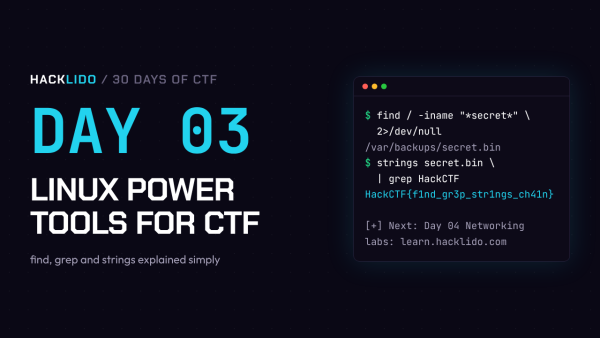
Welcome to Day 3 of the 30 Days of CTF series.
On Day 2, you learned how to move around Linux and read files. That works when there are only a few files. But in real CTF challenges, you may get a server with thousands of files, a log with 50,000 lines, or a program you cannot open in a text editor.
Today you will learn three commands that solve all of these problems in seconds: find, grep and strings. Along with the pipe (|), these are the tools CTF players use more than anything else.
Practice labs for Day 3:
Quick Note on Flag Format
On Hacklido, flags look like this:
HackCTF{s0m3th1ng_h3r3}
Always check the flag format given in the challenge. Knowing the format is very useful today, because you can search for it directly.
Tool 1: find (Search for Files)
find searches for files and folders. The basic pattern is:
find <where to search> <what to search for>
Find a file by name:
$ find / -name flag.txt
/ means search the whole system-name flag.txt means look for a file with this exact name
Find files when you only know part of the name:
$ find / -name "*flag*"
The * is a wildcard. It means “anything”. So *flag* matches flag.txt, myflag, flag_backup.zip and so on.
Ignore case (Flag, FLAG, flag):
$ find / -iname "*flag*"
Hide the error messages:
When you search the whole system, you will see hundreds of Permission denied errors. They make it hard to see the real result. Add 2>/dev/null at the end:
$ find / -name "*flag*" 2>/dev/null
In simple words, 2>/dev/null means “send all errors to the trash”. Now you only see useful results. You will use this almost every time.
Other useful find options:
$ find / -type f -name "*.txt" 2>/dev/null # only files ending with .txt
$ find / -type d -name "secret" 2>/dev/null # only folders named secret
$ find /home -user hacker 2>/dev/null # files owned by user hacker
$ find / -size 33c 2>/dev/null # files exactly 33 bytes in size
The last one is a favourite trick in CTFs. If a challenge says “the file is 33 bytes”, find can locate it instantly.
Tool 2: grep (Search Inside Files)
find searches for files. grep searches for text inside files.
grep "<text to search>" <file>
Search for a word in a file:
$ grep "password" config.txt
db_password=SuperSecret123
Search for the flag format directly:
$ grep "HackCTF" notes.txt
Useful grep options:
$ grep -i "flag" file.txt # ignore uppercase/lowercase
$ grep -n "flag" file.txt # show the line number
$ grep -r "HackCTF" . # search in all files inside this folder
$ grep -v "200" access.log # show lines that do NOT contain 200
$ grep -c "error" app.log # count how many lines match
grep -r "HackCTF" . is one of the most powerful beginner commands. The . means “this folder”, and -r means “go inside every subfolder too”. If the flag is sitting in any text file, this finds it.
grep -v is very useful for logs. When a log has thousands of normal lines, you remove the normal ones and only the strange lines are left.
Tool 3: strings (Read Text Inside Any File)
Some files are not text. Programs, images and zip files are binary files. If you try cat on them, your screen fills with strange symbols.
But even binary files often contain readable text inside them: messages, passwords, URLs and sometimes the flag itself. strings pulls out only the readable parts.
$ cat program
(random unreadable symbols)
$ strings program
/lib64/ld-linux-x86-64.so.2
Enter the password:
Access granted!
HackCTF{str1ngs_4r3_p0w3rful}
That is why strings is one of the first commands to run on any unknown file in a CTF.
The Secret Weapon: Pipe ( | )
The pipe | takes the output of one command and gives it to the next command. This is how you combine tools.
$ strings program | grep "HackCTF"
HackCTF{str1ngs_4r3_p0w3rful}
Here, strings pulls out all readable text, and grep keeps only the line with the flag. No scrolling needed.
More examples:
$ cat access.log | grep "admin" # only lines with admin
$ cat access.log | grep -v "200" | head # first 10 unusual lines
$ ls -la | grep "\." # look for hidden files
A few more tools that work great with pipes:
$ sort file.txt # sort lines alphabetically
$ sort file.txt | uniq # remove duplicate lines
$ wc -l file.txt # count the number of lines
$ cat file.txt | rev # reverse text (some flags are written backwards)
Let’s Solve a Challenge Together
Imagine a challenge says:
“We lost our flag somewhere on this server. All we remember is that the file name had the word secret in it.”
Step 1: Search the whole system for files with “secret” in the name, and hide the errors.
$ find / -iname "*secret*" 2>/dev/null
/usr/share/doc/.secret_notes
/var/backups/secret.bin
Two results. Let’s check both.
Step 2: Read the first file.
$ cat /usr/share/doc/.secret_notes
Not here. Try the backup.
Step 3: Check what type the second file is (remember Day 2).
$ file /var/backups/secret.bin
/var/backups/secret.bin: data
It is not a text file, so cat will show garbage.
Step 4: Use strings with grep to pull out the flag.
$ strings /var/backups/secret.bin | grep "HackCTF"
HackCTF{f1nd_gr3p_str1ngs_ch41n}
Flag captured. You used find, file, strings, grep and a pipe together. This exact chain solves a huge number of beginner CTF challenges.
Try It Yourself on Hacklido
1. Linux Mastery: From Zero to Hero
Go through the modules “Working with Files and Text” and “Power User Tools” for hands-on practice of today’s commands.
Link: learn.hacklido.com/learn/linux-mastery-from-zero-to-hero
2. Strange Log File
You get an access.log file with normal and suspicious requests mixed together. Use grep and grep -v to filter out the normal lines and find the one that does not belong.
Link: learn.hacklido.com/challenges/strange-log-file
3. Chat History
You get a chat.txt file with a long conversation. Use grep to filter messages by each user and look carefully at what they say.
Link: learn.hacklido.com/challenges/chat-history
Tip: Try on your own first. If you get stuck, use the hints given on the challenge page.
Day 3 Cheat Sheet
Save this in your notes:
find / -name "*flag*" 2>/dev/null: find files by name, hide errorsfind / -iname "*flag*" 2>/dev/null: same, but ignore casefind / -type f -size 33c 2>/dev/null: find files of an exact sizegrep "text" file: search for text inside a filegrep -r "HackCTF" .: search all files in the current foldergrep -i, -n, -v, -c: ignore case, line numbers, invert match, countstrings file: pull readable text out of any filestrings file | grep "HackCTF": find the flag inside a binary|: send the output of one command to the nextsort, uniq, wc -l, rev: sort, remove duplicates, count lines, reverse text
Day 3 Task
What’s Next?
In Day 4, we will learn Networking Fundamentals: IP addresses, ports, TCP and UDP, and how to talk to a remote service using tools like netcat and curl. This is where you start connecting to real challenge servers.
See you tomorrow on Day 4. Happy hacking.