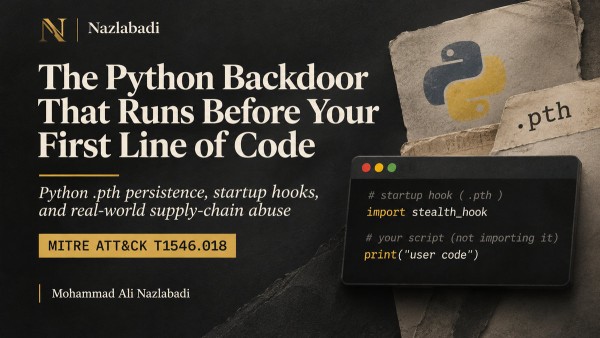
The Python Backdoor That Runs Before Your First Line of Code (T1546.018)
Linux Persistence Fieldbook — Investigation 001 | MITRE ATT&CK T1546.018
Mohammad Ali Nazlabadi
Research series: “Linux Persistence Fieldbook” (https://github.com/moalinazli/linux-persistence-fieldbook)
Open-source companion tool: “HookScope on GitHub” (https://github.com/moalinazli/HookScope) · “Download v1.5.0” (https://github.com/moalinazli/HookScope/releases/tag/v1.5.0)
A Python application can run code it never imports. You can inspect the source, trace its explicit dependencies, and still miss something that executes before the first line of your script.
The reason is ordinary interpreter initialization. When Python loads the “site” module, it may process startup configuration from its site directories. A “.pth” file can add import paths, but it can also contain an executable “import” line. On an affected interpreter, that line runs during startup whether or not the application needs the package responsible for it.
This is “MITRE ATT&CK T1546.018 — Python Startup Hooks” (https://attack.mitre.org/techniques/T1546/018/). The interesting part is not the “import” statement itself. It is the trust boundary: code installed as environment configuration can execute outside the application’s explicit import graph.
An attacker still needs a way to write the file: a compromised package, a build pipeline, an account with suitable filesystem access, or another initial foothold. The startup hook is an execution mechanism, not an explanation of how that foothold was obtained.
What Python actually does
Here is a minimal example from an isolated virtual-environment experiment:
01_lab_hook.pth
import pth_lab_probe
pth_lab_probe.py
print(“HOOK_BEFORE_USER_CODE”)
Then an otherwise unrelated command:
python -c ‘print(“USER_CODE_EXECUTED”)’
produced:
HOOK_BEFORE_USER_CODE
USER_CODE_EXECUTED
There is no “import pth_lab_probe” in the command being executed. The interpreter processed the “.pth” file first.
That does not make every “.pth” file dangerous. A normal path entry merely extends “sys.path”; editable installs and legitimate tooling also use startup configuration. A filename match is an inventory lead. It says nothing about the file’s provenance or intent.
The other relevant names are “sitecustomize.py” and “usercustomize.py”. Python can import these during initialization, subject to the interpreter’s configuration and module-resolution rules. Their names alone do not guarantee execution. In one of our tests, a “sitecustomize.py” placed in the virtual environment was shadowed by a different file earlier on the search path. That failed expectation is useful: a scanner that simply sees a file with this name and declares “executed” is overstating its evidence.
The interpreter switches matter too. In the tested Python 3.13.5 virtual environment:
Invocation| Observed behavior
Normal startup| “.pth” hook ran before user code
“python -S”| Hook did not run
“python -I”| Hook still ran in this virtual environment
“python -s”| Hook still ran in this virtual environment
“-I” isolates Python from certain external influences; it is not shorthand for “-S”. The table describes our test environment, not every possible installation or Python version.
There is also a version boundary worth tracking. “PEP 829” (https://peps.python.org/pep-0829/) introduced “.start” files in Python 3.15. These declare explicit startup callables in “package.module:callable” form. During the transition, a matching “.start” file suppresses executable “import” lines in the corresponding “.pth” file, while ordinary “.pth” path entries remain valid. Python’s published deprecation schedule retains the old executable lines for a period before phasing them out. A hunting rule that looks only for “.pth” import statements will miss this newer startup surface.
Three incidents that show the difference
2024: UPSTYLE and the attempted “system.pth” installation
During the investigation of “CVE-2024-3400 in PAN-OS GlobalProtect” (https://www.volexity.com/blog/2024/04/12/zero-day-exploitation-of-unauthenticated-remote-code-execution-vulnerability-in-globalprotect-cve-2024-3400/), Volexity recovered an “update.py” sample intended to install the UPSTYLE backdoor at:
/usr/lib/python3.6/site-packages/system.pth
Here the distinction between intent and observation matters. Volexity reported that the recovered installation attempt did not execute successfully. The code reveals what the attacker was trying to establish, but that particular recovered attempt is not proof of a successfully installed “.pth” persistence mechanism on the victim.
CVE-2024-3400 was the initial vulnerability. The Python startup file was part of a proposed post-exploitation path. Blending the two into “a “.pth” exploit” would misrepresent the intrusion.
March 2026: LiteLLM, where importing the package was no longer necessary
LiteLLM’s “March security notice” (https://docs.litellm.ai/blog/security-update-march-2026) identified two malicious PyPI versions with a meaningful difference:
Version| Reported malicious content
“1.82.7”| Payload in “proxy_server.py”
“1.82.8”| Payload in “proxy_server.py” plus “litellm_init.pth”
That extra file changes the exposure model. A program need not explicitly import LiteLLM for a startup hook installed into a processed site directory to run. The compromised environment itself becomes the delivery point.
The project’s advisory identified March 24, 2026, 10:39–16:00 UTC as the relevant installation window and described attempts to collect environment variables, SSH material, cloud credentials and other secrets. It identified “models.litellm.cloud” as an exfiltration destination. That is evidence of the reported malicious functionality, not automatic proof that every host which installed the package successfully transmitted data.
The practical investigative task is to establish which environment received the affected wheel, whether Python subsequently started with that site directory active, and what process or network evidence followed.
October 2026: LiteLLM, two startup routes in a single release
A separate compromise affected LiteLLM 1.107.0. “Microsoft’s October analysis” (https://www.microsoft.com/en-us/security/blog/2026/10/23/inside-the-litellm-1-107-0-supply-chain-compromise-credential-theft-through-python-startup-hooks/) describes “cook.pth”, “cook.py” and “sitecustomize.py” packaged into the wheel’s installation content.
One route was direct:
cook.pth → import cook → cook.py → decoded collector
The collector was designed to gather sensitive data and send an encrypted archive to a “/healthcheck” endpoint associated with “www.litellm.dev”. The “sitecustomize.py” path provided another Unix-oriented startup mechanism, including logic capable of retrieving additional code. Microsoft did not confirm successful execution of that remote second stage at the time of its analysis.
Removing the “litellm” package directory alone would not necessarily remove files deposited into an environment’s site directory. That is why the installation footprint matters as much as the package’s import path.
What changes between these cases?
Case| Relevant trigger| Evidence available| Main investigation trap
UPSTYLE, 2024| Intended “.pth” installation after firewall exploitation| Recovered installer and attempted deployment| Treating an unsuccessful attempt as confirmed startup execution
LiteLLM, March 2026| Malicious package installation; “.pth” added in “1.82.8”| Publisher advisory and third-party package analysis| Assuming an application must import LiteLLM to be exposed
LiteLLM, October 2026| “cook.pth” and a separate “sitecustomize.py” route| Compromised wheel analysis and reported collector behavior| Cleaning only the main package directory, or asserting an unconfirmed second stage
The common feature is execution before application logic. The evidence needed to prove compromise is different in each case.
Testing the startup behavior, without simulating credential theft
We ran a small, isolated lab on Linux with Python 3.13.5. The setup used a temporary virtual environment, a harmless “.pth” import and locally written markers. Its saved test results record 10 passes and zero failures.
A few representative lines from the captured terminal output:
normal stdout: ‘HOOK_BEFORE_USER_CODE\nUSER_CODE_EXECUTED\n’
-S stdout: ‘USER_CODE_EXECUTED\n’
-I stdout: ‘HOOK_BEFORE_USER_CODE\nUSER_CODE_EXECUTED\n’
RESULT {“passed”: 10, “failed”: 0, “auditd”: false, “strace”: false}
Beyond those controls, the suite checked path-only “.pth” behavior, “sitecustomize” import precedence, “-s”, and removal of the startup file. It also confirmed the virtual environment did not have user-site processing enabled in this configuration.
For reproducibility, the lab package includes “run_tests.py”, “test_results.json”, “terminal_run.log” and a redacted marker record. Its script creates and removes the temporary environment. The source bundle is supplied with this article for separate publication; the full lab records are not yet hosted in the public Fieldbook repository. Until then, the captured output above is a summary rather than an independently downloadable public evidence set.
A second controlled exercise spawned a child shell that printed a fixed marker and posted a dummy string to a local HTTP listener at “127.0.0.1”. These were self-instrumented events. We did not capture live auditd, Falco or production EDR records from that exercise. It verifies a behavior in the lab; it does not validate an endpoint detection rule.
Hunting on Linux: start with the write, then prove the execution path
My first question on a host would be: Who created or modified the startup artifact? The next one is harder: Did an interpreter that could process it run afterward?
As a quick read-only inventory on an authorized filesystem copy:
find /path/to/snapshot -type f \
( -name ‘.pth’ -o -name ‘.start’ \
-o -name ‘sitecustomize.py’ -o -name ‘usercustomize.py’ ) \
-print
This finds candidates. It does not determine which directories Python actually processes, and it certainly does not classify malware. For that, establish the interpreter path, its version, virtual-environment settings, actual “site-packages” or “dist-packages” locations, and the relevant import precedence. Avoid running a suspect interpreter simply to check those settings; doing so may trigger the code under investigation. Use a trusted analysis environment or snapshot.
“MITRE DET0258” (https://attack.mitre.org/detectionstrategies/DET0258/) describes a stronger detection idea: suspicious startup-file modification followed by Python execution and possible related process or network behavior.
Here is a starting Linux file-integrity inventory in SPL. It is not a validated end-to-end detection. It assumes the FIM data has been mapped to “file_path”, “action”, “process_name”, “user”, “sha256” and “host”:
search index=linux_fim
(action=“created” OR action=“modified”)
(
file_path=“/site-packages/.pth”
OR file_path=“/dist-packages/.pth”
OR file_path=“/site-packages/.start”
OR file_path=“/dist-packages/.start”
OR file_path=“/site-packages/sitecustomize.py”
OR file_path=“/dist-packages/sitecustomize.py”
OR file_path=“/site-packages/usercustomize.py”
OR file_path=“/dist-packages/usercustomize.py”
)
| stats count AS file_events
values(action) AS actions
values(process_name) AS writers
values(user) AS users
values(sha256) AS hashes
BY host file_path
The result answers which paths changed, and what metadata came with those changes? It cannot prove the “import” line executed. The “stats” aggregation also discards event order. For correlation, return to raw events and test whether a relevant Python process started after the modification, under an environment that could load the file. Then examine follow-on process and network records where available.
A “python → sh” child process can be meaningful in context, but plenty of build tools and administrators produce that relationship legitimately. Conversely, an in-process startup hook can do damage without ever spawning a shell. Do not make child-process creation a mandatory condition.
Existing community detections help, with qualifications. “Splunk’s PTH file-creation detection” (https://research.splunk.com/endpoint/bf581b86-39cd-48b7-9312-d9affb48a8bc/) uses Windows Sysmon events, not a ready-made Linux auditd feed. “Falco’s incubating startup-hook file rule” (https://github.com/falcosecurity/rules/blob/main/rules/falco-incubating_rules.yaml) focuses on file modifications; its exclusions for legitimate installer activity require review when the suspected initial delivery is a package install. Neither point is proof of a bypass in our environment.
The test I would want before promoting a rule is straightforward: enable the Linux sensor, generate a harmless hook in a disposable environment, collect the raw file and process events, then run a legitimate installation baseline. We have not completed that sensor-backed validation.
HookScope: an offline way to inspect the startup surface
I developed “HookScope” (https://github.com/moalinazli/HookScope) as a companion scanner for this work. It inspects Python startup artifacts and wheel contents without importing the code being examined. It records hashes and static indicators, and can produce text, HTML, JSON and SARIF reports. The default scan is read-only.
The first public release is “v1.5.0” (https://github.com/moalinazli/HookScope/releases/tag/v1.5.0). It has an interactive menu for first-time users and explicit commands for scripting:
hookscope
Or examine an authorized snapshot without modifying it:
hookscope scan –root /path/to/snapshot –strict –format html –output report.html
For a safe positive test, the repository includes a synthetic snapshot:
hookscope scan –root examples/synthetic-snapshot –strict –format html –output synthetic-report.html
Run that command from the cloned repository root. The result is about the included synthetic fixtures, not a real infected machine. Its value is that you can inspect what the scanner noticed and why, rather than judge it by a decorative screenshot.
“HookScope running in a real Termux session” (https://raw.githubusercontent.com/moalinazli/HookScope/main/Termux-v1.5.0-ORIGINAL-REAL.jpg)
Actual Termux session. The screenshot is not proof of detection accuracy or a clean device.
The tool also provides reviewed quarantine and restore workflows on supported POSIX systems. That is a filesystem action with consequences, not a malware verdict. It does not stop already-running processes, reverse credential theft or promise to remove every related payload.
There are release limitations worth saying plainly: the current wheel advertises Python 3.10+, but CI found it does not start correctly on Python 3.10. The documented Linux verification path uses Python 3.13. Windows support is experimental, and platform-wide detection accuracy has not been established. The “project README” (https://github.com/moalinazli/HookScope) and “validation notes” (https://github.com/moalinazli/HookScope/blob/main/VALIDATION.md) describe the actual scope.
The response question I would not skip
Suppose a responder finds “something.pth” with an executable line. Removing it immediately might stop one future trigger, but it can also destroy evidence. More importantly, the malicious code may already have run.
I would preserve the file, the imported module and the surrounding package metadata first. Then I would reconstruct the installation and interpreter timeline. Only after establishing impact would I choose between quarantining the artifact and rebuilding the environment from trusted inputs. If the hook had access to credentials, containment and rotation decisions cannot wait for a perfect malware verdict.
That is the lesson I take from the LiteLLM cases. The application import graph is not the whole execution graph. The environment that starts Python can carry code of its own, and incident response has to account for that extra layer.
—
References
- “MITRE ATT&CK — T1546.018: Python Startup Hooks” (https://attack.mitre.org/techniques/T1546/018/)
- “MITRE — DET0258: Linux Python Startup Hook Persistence” (https://attack.mitre.org/detectionstrategies/DET0258/)
- "Python documentation — “site”" (https://docs.python.org/3/library/site.html)
- “PEP 829 — Package Startup Configuration Files” (https://peps.python.org/pep-0829/)
- “Volexity — CVE-2024-3400 and UPSTYLE” (https://www.volexity.com/blog/2024/04/12/zero-day-exploitation-of-unauthenticated-remote-code-execution-vulnerability-in-globalprotect-cve-2024-3400/)
- “Palo Alto Networks Unit 42 — Operation MidnightEclipse” (https://unit42.paloaltonetworks.com/cve-2024-3400/)
- “LiteLLM — March 2026 security update” (https://docs.litellm.ai/blog/security-update-march-2026)
- “Microsoft — LiteLLM 1.107.0 supply-chain compromise” (https://www.microsoft.com/en-us/security/blog/2026/10/23/inside-the-litellm-1-107-0-supply-chain-compromise-credential-theft-through-python-startup-hooks/)
- “LiteLLM — October 2026 incident notice” (https://docs.litellm.ai/blog/security-incident-oct-21-2026)
- “Splunk Security Content — Python PTH File Creation During Package Installation” (https://research.splunk.com/endpoint/bf581b86-39cd-48b7-9312-d9affb48a8bc/)
- “Falco — incubating rules” (https://github.com/falcosecurity/rules/blob/main/rules/falco-incubating_rules.yaml)
- “HookScope — source, release and verification notes” (https://github.com/moalinazli/HookScope)