The "6-Hour Heartbeat": India’s New Reality for WhatsApp and Telegram
The era of "set it and forget it" for desktop messaging is officially over. Under the newly implemented Telecom Cyber Security (TCS) Rules, 2024, the Indian government has mandated a continuous "SIM-binding" protocol for all major OTT messaging platforms, including WhatsApp, Telegram, Signal, Snapchat, and ShareChat.
While the core mobile apps remain active as long as the SIM is present, the most disruptive change is the 6-hour automatic logout for all companion devices.
The Mechanics of the Heartbeat
The DoT’s directive requires platforms to move away from the traditional "verify-once" model to a persistent verification system.
- Continuous Check: The primary mobile app now performs a periodic "heartbeat" check—roughly every six hours—to ensure the registered SIM card (identified by its unique IMSI) is physically present and active in the handset.
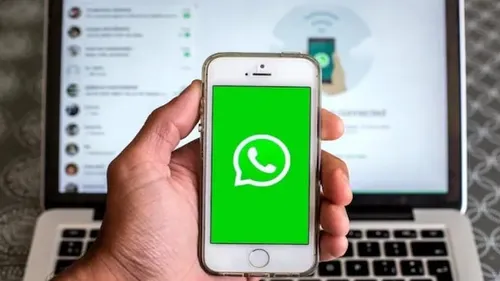
- Forced Session Termination: If you are using WhatsApp Web or the Telegram Desktop app, the server will now force a logout at the 6 hour mark.
- The Re Sync Requirement: To resume your session, you must physically pick up your primary smartphone and re-scan a QR code. This scan is only successful if the phone detects the active, registered SIM card at that exact moment.
Why the 6-Hour Window?
Communications Minister Jyotiraditya Scindia has defended the strict window as a non-negotiable national security measure.
"On national security issues, there can be no compromise," Scindia stated, pointing to a ₹22,845 crore cyber fraud epidemic in 2024.
The 6-hour limit is specifically designed to kill "remote hijacked" sessions. Previously, scammers would authenticate an Indian number once (often using a "mule" SIM) and then operate the account indefinitely from overseas to conduct "Digital Arrest" or investment scams. The heartbeat ensures that an account cannot remain active on a remote server if the physical SIM isn't locally present.
The Hacklido Analysis: Workflow vs. Security
For the technical community, the implementation of the heartbeat introduces several "Day 2" challenges:
- Professional Friction: An average 9-to-5 workday now requires at least one forced interruption for re-authentication. For customer support teams using web-based dashboards, this represents a significant hit to "uptime."
- The "Wi-Fi Only" Tablet Crisis: Since devices like iPads or Wi-Fi-only tablets lack SIM slots, they are now treated as "companion devices." Users are reporting that these devices now require frequent re-verification from a primary phone, effectively ending their use as standalone communication hubs.
- Battery & Data Overhead: Constant IMSI polling and session re-negotiation every six hours is expected to cause a marginal but noticeable increase in background battery drain and data usage on primary mobile devices.
How to Maintain Uptime
- Keep the Phone Close: Ensure your primary phone is always charged and within reach of your workstation; you'll be scanning a QR code at least twice during a standard work shift.
- Check Your IMSI: If you use dual-SIM phones, ensure your messaging app is registered to the SIM that stays in the device. Swapping SIMs will now trigger an immediate logout of all linked sessions.
Legacy Pass Warning: As noted in our RailOne update, remember that legacy digital tickets and passes may not sync if your session is killed mid-commute due to a failed heartbeat check.