Microsoft Defender's Own Driver Can Be Abused to Disable Windows Security
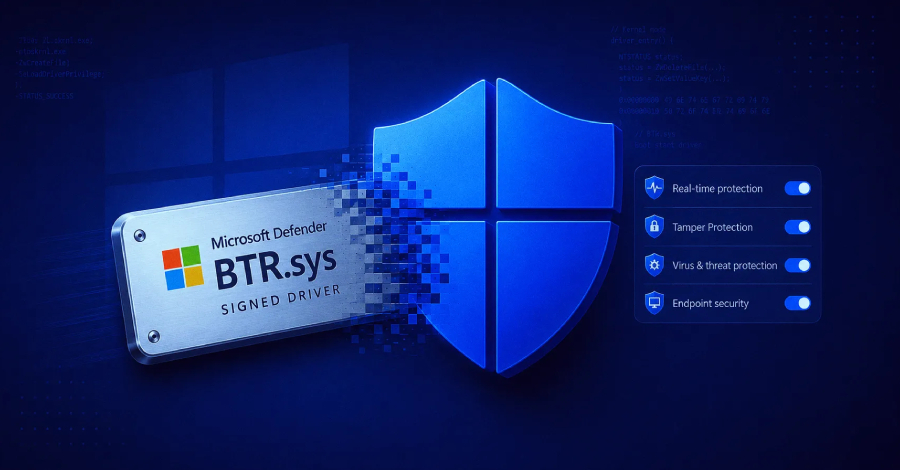
Cybersecurity researchers at Check Point Research have uncovered a technique that abuses Microsoft Defender's legitimate BTR.sys boot-time remediation driver to perform powerful kernel-level file and registry operations on Windows systems.
The technique, dubbed "BTR Reforged," affects Windows versions ranging from Windows 7 through Windows 11 25H2. Unlike traditional BYOVD attacks, it does not require attackers to introduce a vulnerable third-party driver or exploit a software vulnerability in BTR.sys itself.
Instead, the technique abuses the trust placed in a legitimate Windows component that is already part of Microsoft Defender.
What Is BTR.sys?
BTR.sys stands for Boot Time Removal Tool. It is a component of Microsoft Defender designed to remove malware that cannot be deleted while Windows is running.
The driver is embedded inside Microsoft's Defender engine, MpEngine.dll, as the BOOTTIMETOOL resource. Defender can deploy it during the boot process when it needs to remove files or registry entries that were locked during normal system operation.
Check Point Research researcher Jiří Vinopal reverse-engineered the driver's undocumented communication protocol and discovered that the driver can be instructed to perform arbitrary file and registry operations.
The research was presented at Black Hat USA 2026 and DEF CON 34 and published on August 20, 2026.
Check Point said it has not found evidence that threat actors are currently abusing the technique in real-world attacks.
How the Attack Works
The technique requires an attacker to already have administrative privileges, specifically access to SeLoadDriverPrivilege.
The researchers developed a proof-of-concept tool called BTR_CLI that extracts the embedded BTR.sys driver from Microsoft's Defender files and constructs valid commands for it.
The driver accepts encrypted configuration data. Researchers found that the configuration protocol uses RC4 encryption with a hard-coded 256-byte key that remained unchanged across 18 different 64-bit BTR.sys versions examined.
Once the driver is loaded, its operations execute in kernel mode, meaning they run with extremely high system privileges.
This gives an attacker the ability to:
- Delete locked files and directories
- Move files to arbitrary locations
- Modify or delete registry keys and values
- Write registry values
- Schedule operations to execute during the next reboot
- Potentially remove security-related components before Defender fully starts
The "Golden Window"
One of the most important parts of the research is what Check Point calls the "golden window."
During the Windows boot process, there is a period when the filesystem is available but Microsoft's Defender user-mode services have not yet fully started.
BTR.sys can execute during this period.
This creates an opportunity for an attacker to remove security components before they become active and lock themselves.
During a demonstration, Check Point researchers used BTR_CLI to remove the Microsoft Defender security stack from a fully updated Windows 11 25H2 system even though Tamper Protection was enabled.
The researchers specifically demonstrated the removal of components such as WdFilter.sys and MsMpEng.exe.
Why This Is Different From BYOVD
The technique is particularly interesting because it does not follow the traditional Bring Your Own Vulnerable Driver (BYOVD) model.
In a typical BYOVD attack, attackers obtain a legitimately signed but vulnerable third-party driver and load it into the Windows kernel.
Security vendors can respond by adding those vulnerable drivers to blocklists.
BTR.sys presents a different problem.
It is a legitimate Microsoft component required by Defender itself.
Blocking it through Microsoft's Vulnerable Driver Blocklist or WDAC could interfere with Defender's legitimate remediation functionality.
This creates an architectural trust issue rather than a conventional software vulnerability.
Microsoft Does Not Currently Plan an Immediate Patch
According to Check Point Research, Microsoft's Security Response Center (MSRC) determined that the technique did not meet the criteria for immediate servicing because exploitation requires the attacker to already possess administrative privileges and SeLoadDriverPrivilege.
Check Point describes the issue as an architectural trust-boundary problem rather than a traditional vulnerability.
The researchers' BTR_CLI repository states that "No patch is planned," although this characterization has not been publicly confirmed by Microsoft.
Previous BTR.sys Vulnerability
BTR.sys has previously been associated with a security vulnerability.
In February 2021, SentinelLabs researcher Kasif Dekel disclosed CVE-2021-24092, a privilege-escalation vulnerability that allowed a local non-administrator to overwrite arbitrary files through a hard-link attack involving the driver's logging mechanism.
Microsoft patched the vulnerability on February 9, 2021.
The current BTR Reforged research is different because it does not rely on that vulnerability.
Detecting Potential Abuse
Check Point Research identified several telemetry patterns that defenders can monitor for possible BTR.sys abuse.
Sysmon Event ID 15
Look for a FileCreateStreamHash event where the filename ends with:
.sys:changelist
This can indicate the encrypted configuration data being written to the driver's Alternate Data Stream.
Suspicious Service Registry Keys
Monitor Sysmon Registry Events 12 and 13 for service creation where:
Argscontains:changelistGroupisBoot Bus Extender
This becomes particularly suspicious when there is no corresponding Windows Event ID 7045, which normally records service installation.
BootClean.log Activity
Monitor for rapid creation and deletion of:
\SystemRoot\Temp\BootClean.log
when the activity is attributed to the System process (PID 4).
Driver Load Followed by File Deletion
Another detection pattern is:
Sysmon Event ID 6 → Sysmon Event ID 23
where the driver load is immediately followed by file deletion performed by the System process.
This sequence can indicate BTR.sys executing kernel-level operations.
Recommended Mitigation
Check Point Research recommends limiting the assignment of:
SeLoadDriverPrivilege
to only accounts that genuinely require it.
Organizations should also monitor unusual driver-loading activity and investigate suspicious kernel-level file or registry modifications occurring during the Windows boot process.
The key point is that administrative access should be treated as a critical security boundary. An attacker who has already obtained the required privileges can potentially abuse trusted Windows components in ways that traditional driver blocklists cannot prevent.