MikroTik RouterOS Vulnerabilities Actively Exploited to Gain Full Administrative Access
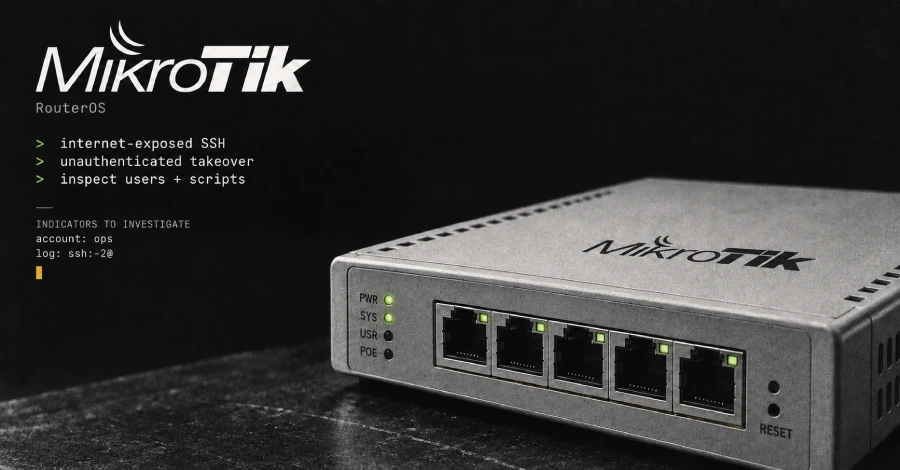
Attackers are actively exploiting vulnerabilities in MikroTik RouterOS to compromise internet-exposed routers and obtain full administrative control without authentication, CERT Polska has warned.
The attacks target MikroTik routers where the SSH remote-access service is exposed to the internet. According to CERT Polska, successful exploitation has been observed since at least September 2, 2026.
The warning, published on September 5, does not identify the attackers or provide an estimate of the number of compromised devices.
MikroTik has released security updates addressing the vulnerabilities, and CERT Polska is urging administrators to update affected routers immediately and then investigate the devices for unauthorized configuration changes.
MikroTik RouterOS Vulnerabilities Under Active Exploitation
CERT Polska refers to the observed two-vulnerability attack chain as "MikroTrick."
However, the advisory does not explicitly identify which two vulnerabilities make up the observed attack chain or explain precisely how they are combined to achieve administrative access.
The available evidence confirms that attackers can exploit the affected RouterOS configurations to obtain full administrative control without authentication when vulnerable services are exposed.
CERT's observations indicate that the attacks began no later than September 2.
Whether the vulnerabilities were being exploited as zero-days before fixes became publicly available remains unverified.
Which MikroTik RouterOS Versions Are Affected?
CERT Polska lists several affected RouterOS branches.
Affected RouterOS VersionInitial Security FixRecommended Update6.0.0 to below 6.49.216.49.21Install the RouterOS 6 security release7.0.0 to below 7.23.47.23.4Use 7.23.5 on the long-term channel7.24 to below 7.24.27.24.2Install the stable-channel security releaseDevelopment versions7.25beta3Use the fixed development release
The 7.23.5 release additionally addresses an IPv6 DHCP issue introduced in 7.23.4 while retaining the security fixes.
Administrators should use MikroTik's official RouterOS download channels to obtain the appropriate update for their device.
Internet-Exposed SSH Is a Major Risk
The observed attacks rely on remote access to exposed services.
MikroTik's default firewall configuration normally blocks public access to management ports on home devices when the default rules remain intact.
However, organizations and advanced users may deliberately expose management services for remote administration.
CERT Polska recommends disabling exposed services or restricting them to trusted management networks until the affected devices can be updated.
Particular attention should be paid to:
- SSH
- WWW
- WWW-SSL
- Bandwidth-test
Administrators should avoid leaving these services publicly accessible on unpatched devices.
Temporary Mitigation Before Patching
If immediate installation of the security update is not possible, CERT Polska recommends restricting access to exposed services.
Administrators should:
- Disable unnecessary externally accessible services.
- Restrict management access to trusted networks or IP addresses.
- Pay particular attention to SSH, WWW, WWW-SSL, and bandwidth-test services.
- Avoid initiating TLS connections from an unpatched device.
- Avoid using the RouterOS built-in SSH client from an unpatched device.
These measures are intended as temporary risk reduction and do not replace installing the security updates.
How to Check a MikroTik Router for Compromise
Updating RouterOS is only part of the response.
Because attackers may have already gained administrative access, administrators should inspect the device for unauthorized changes after applying the security update.
CERT Polska recommends checking:
- RouterOS logs
- User accounts
- Privileged accounts
- Scripts
- Configuration changes
- Unexpected services
- Account-creation events
- Device-mode status
Particular attention should be paid to unexpected highly privileged accounts.
CERT also identifies account-creation log entries containing:
ssh:-2@
as a potential indicator that requires investigation.
Check RouterOS Flagged Status
RouterOS includes a Flagged status mechanism that can identify suspicious configuration conditions.
When startup checks detect suspicious configuration, RouterOS can flag the device, disable certain entries, and restrict specific functions.
After updating, administrators should run:
/system/device-mode/print
This can help determine whether the device has been placed into a flagged state.
However, the absence of a warning does not guarantee that the router has not been compromised.
Administrators should still manually inspect the configuration for unknown users, scripts, permissions, and other unexpected modifications.
What to Do If the Router Is Compromised
If logs or configuration changes indicate that an attacker gained access, CERT Polska recommends treating the device as compromised rather than simply updating it.
1. Isolate the Router
Disconnect or isolate the router from the network where possible.
Before resetting the device, preserve relevant evidence, including:
- Logs
- Configuration
- User information
- Suspicious scripts
- Other forensic artifacts
CERT Polska provides guidance for preserving MikroTik logs and configuration data.
2. Restore Factory Settings
After preserving evidence, restore the device to its factory configuration.
The router should then be rebuilt using a trusted and verified configuration.
Administrators should avoid blindly restoring a complete backup from a potentially compromised device because malicious configuration changes could be restored along with it.
3. Rotate Credentials and Secrets
Change all credentials and secrets that may have been accessible through the compromised router.
This includes:
- Router administrator passwords
- SSH keys
- API credentials
- VPN credentials
- Other secrets configured or used on the device
Attack Timeline Raises Zero-Day Questions
The timing of the attacks and security releases has raised questions about whether the vulnerabilities were exploited before public fixes became available.
CERT Polska reported successful attacks beginning at least September 2.
The MikroTik 7.25beta3 release notes carry a September 2 changelog date, while the beta and other initial security fixes were publicly announced on September 3.
However, these dates alone do not establish that attackers had access to the vulnerabilities before a patch was available.
Therefore, the available information does not currently confirm that this was a zero-day exploitation campaign.
No Attacker Identity Disclosed
CERT Polska has not attributed the activity to a particular threat actor or hacking group.
There is also no publicly disclosed victim count as of the available reporting.
The lack of attribution does not reduce the immediate risk for exposed devices, particularly because the vulnerabilities are already being exploited in real-world attacks.
Why MikroTik RouterOS Security Matters
MikroTik routers are widely used for networking, routing, wireless connectivity, VPN access, and enterprise infrastructure.
A successful compromise of a router can provide attackers with a strategically valuable position inside a network.
Depending on the device's configuration and privileges, attackers could potentially use compromised infrastructure for:
- Network traffic interception
- Credential theft
- Persistent access
- Traffic redirection
- Internal reconnaissance
- Additional attacks against connected systems
- Abuse of the router as attack infrastructure
For this reason, administrators should treat internet-facing RouterOS devices as high-priority assets.
Security Recommendations
MikroTik administrators should take the following steps:
- Update RouterOS immediately to a fixed release.
- Disable unnecessary internet-facing management services.
- Restrict SSH and other management interfaces to trusted networks.
- Review RouterOS logs for suspicious authentication and account creation.
- Check
/system/device-mode/print. - Inspect the configuration for unknown users and scripts.
- Investigate unexpected privileged accounts.
- Review changes made since September 2, 2026.
- Rotate passwords, SSH keys, and other potentially exposed credentials.
- Preserve forensic evidence before resetting a suspected compromised device.
- Rebuild compromised routers from a trusted configuration instead of blindly restoring backups.
Conclusion
CERT Polska's warning highlights an active threat against vulnerable MikroTik RouterOS devices with internet-accessible management services.
Attackers have reportedly been exploiting the vulnerabilities since at least September 2, 2026, with successful attacks capable of providing full administrative control.
While the exact vulnerability combination behind the MikroTrick attack chain and the identity of the attackers remain unclear, the availability of security updates means administrators should not wait for further attribution details.
The recommended response is straightforward: patch immediately, restrict exposed management services, and investigate the router for signs of compromise.