MALFEX Supply Chain Attack Uses Malicious npm Package to Deploy Windows Malware and Steal Sensitive Data
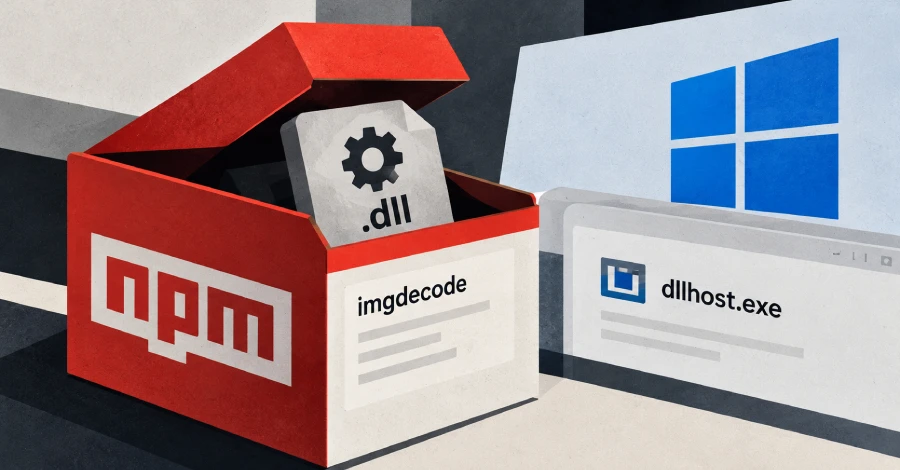
Cybersecurity researchers have discovered a malicious npm package named imgdecode linked to the MALFEX software supply chain attack campaign. The package disguises its functionality behind a small JavaScript loader and a compiled Windows DLL that can download encrypted payloads, inject malicious code into legitimate processes, and compromise developer systems.
Uploaded to the npm registry on September 30, 2026, by a user named malfexteste8, imgdecode had recorded 979 downloads at the time of reporting. The package's latest identified version was 1.0.3, and it remained available on npm when researchers published their findings.
According to security firm SafeDep, the package contains a nine-line JavaScript file that loads a native Windows DLL. When a Node.js application imports imgdecode on Windows, the DLL attempts to retrieve encrypted shellcode from GitHub, decrypt the response, and inject the resulting payload into a new dllhost.exe process.
The discovery adds another component to MALFEX, a long-running campaign in which an unidentified threat actor has published malicious npm packages since August 2023 to compromise Windows systems.
MALFEX Campaign Expands Through Replacement npm Packages
MALFEX was previously documented by Checkmarx and CloudSEK, which identified malicious packages distributed through multiple npm publisher accounts.
Earlier packages were associated with different infection methods. Some acted as loaders for Overlord RAT, while others worked together to download and execute a Node.js stealer. Another infection chain used a postinstall hook to retrieve and execute an additional payload.
Researchers identified five npm publisher handles associated with the campaign: malfexkkj, malfex_user, malfexteste2, malfexteste3, and malfexteste4.
The latest activity suggests that the operator adapted its package distribution strategy after public disclosures and npm removals. Replacement packages appeared shortly after earlier packages were unpublished, allowing the campaign to continue through new names and delivery mechanisms.
Timeline of Malicious Package Releases
The sequence of package publications and removals illustrates how the operator adjusted its infrastructure:
- September 26, 2026:
cdn-img-fetch,img-to-native, andnative-runnerversion 1.0.0 were published. - September 28, 2026: npm removed
native-runnerandimg-to-native. - September 30, 2026:
imgbundleandrunhelperversion 1.0.0 were published as replacements. - September 30, 2026:
runhelperwas unpublished. - September 30, 2026:
imgdecodeversion 1.0.0 appeared, followed by versions 1.0.1 and 1.0.2. - October 7, 2026: npm removed
imgbundle. - October 8, 2026: npm removed
cdn-img-fetch. - October 11, 2026:
imgdecodeversion 1.0.3 was published.
The release sequence indicates that the operator continued introducing alternative packages after earlier components were removed.
How the npm Malware Infection Chains Work
The campaign uses multiple packages that perform different stages of the infection process.
Node.js Stealer Delivery Chain
One infection pathway involves three packages: cdn-img-fetch, img-to-native, and native-runner.
Unlike conventional npm malware that executes immediately through an installation hook, this chain runs when the relevant package is loaded by a Node.js application.
The packages perform the following functions:
cdn-img-fetch: Downloads a file namedbanner.pngfrom the GitHub repositorycavecrew/projand extracts an encrypted payload.img-to-native: Decrypts the payload using the keymalfexteam2027and writes a Go executable to%APPDATA%\Microsoft\Windows\node_runtime_helper.exe.native-runner: Executes the Go program, which downloads another payload identified assetup.exe, also referred to asmovinlike, from104.234.65[.]75:700.
The resulting malware can collect sensitive information and establish remote access to compromised systems.
Runhelper Uses Image-Based Shellcode Delivery
Another component, runhelper, was presented as a utility for launching native binaries from Node.js projects.
Researchers found that it searched for a JPG file named rt.jpg under cdn-img-fetch/.runtime/, extracted shellcode from the file, copied the data into executable memory, and ran it using Koffi, a Foreign Function Interface module for Node.js.
This approach conceals executable content inside an image file rather than distributing the payload as an obvious standalone executable.
Imgdecode Introduces a Native DLL Loader
The newer imgdecode package uses a compiled 64-bit Microsoft Visual C++ DLL to execute the malicious loading process.
Version 1.0.0 waits for imgbundle to create a file under cdn-img-fetch/.runtime/, reads its contents into memory, and passes them to the native addon for processing.
Later versions changed the delivery mechanism:
- Version 1.0.0: Relies on the preceding package to prepare the required file.
- Versions 1.0.1 and 1.0.2: Add functionality for downloading and decrypting the payload, but still call
require('imgbundle'). - Version 1.0.3: Removes the
imgbundledependency, allowing the package to operate without another MALFEX package.
According to SafeDep, the DLL retrieves a file named banner.jpg from the same GitHub repository and decrypts its embedded payload using the key nif-runtime-2027. The resulting code is then injected into dllhost.exe.
The DLL also checks whether the decrypted content begins with a JPEG or PNG signature. Researchers suggested that this behavior could allow the operator to disable the loader by serving encrypted content that decrypts into an ordinary image.
Malware Includes Anti-Analysis and Data-Theft Capabilities
The malware performs checks for virtual machines, sandboxes, and analysis tools such as Process Monitor and Wireshark. These checks are designed to identify environments commonly used by security researchers and automated malware-analysis systems.
Once active, the stealer searches for sensitive files and application data, including:
- Cryptocurrency wallet recovery phrases and seed phrases.
- KeePass databases with the
.kdbxextension. - Private-key files such as
.pemand.ppk. - Environment files with the
.envextension. - Data stored by Chromium-based browsers.
- Discord and Telegram information.
- Gaming accounts and related data associated with Steam, Epic Games, Riot, Battle.net, Minecraft, and Ubisoft.
The malware can also establish a WebSocket connection to its command-and-control server, enabling remote commands and interactive control.
Its reported capabilities include shell execution, file transfers, process control, clipboard access, screenshots, and mouse and keyboard input.
For persistence, the malware creates a Windows Registry Run entry and a scheduled task named MicrosoftEdgeUpdateService, allowing it to continue executing after the initial compromise.
Indicators of Compromise
Security teams should review their development environments for the following indicators associated with the campaign:
- Malicious npm package:
imgdecode - Related packages:
cdn-img-fetch,img-to-native,native-runner,runhelper, andimgbundle - GitHub repository:
cavecrew/proj - Payload server:
104.234.65[.]75:700 - Command-and-control address:
104.234.65[.]75:7007 - Persistence task:
MicrosoftEdgeUpdateService - Payload path:
%APPDATA%\Microsoft\Windows\node_runtime_helper.exe
These indicators should be used alongside endpoint telemetry, package-lock files, npm installation records, and network logs. The presence of an individual indicator does not automatically confirm compromise, but it warrants investigation.
What Developers Should Do
Developers who installed or imported any of the identified packages should treat affected Windows systems as potentially compromised until they complete an investigation.
Recommended actions include:
- Remove malicious dependencies: Identify and remove the affected packages from projects and build environments.
- Isolate suspected systems: Disconnect potentially compromised developer workstations from sensitive networks while preserving evidence.
- Investigate persistence: Inspect scheduled tasks, Registry Run entries, unexpected executables, and suspicious Node.js processes.
- Rotate credentials: Change potentially exposed passwords, API keys, access tokens, SSH keys, and other secrets from a clean device.
- Protect cryptocurrency assets: If wallet recovery phrases or private keys were stored on an affected machine, treat them as compromised and move assets to newly generated wallets using a clean device.
- Audit development pipelines: Review dependency manifests, lockfiles, CI/CD logs, and package installation activity for unexpected changes.
- Monitor for follow-on activity: Search for suspicious connections to the identified infrastructure and investigate unusual access to developer accounts and cloud services.
Security Implications for the npm Ecosystem
The MALFEX campaign demonstrates how malicious packages can imitate legitimate developer utilities while hiding payloads in native addons, image files, and dependency chains.
The shift from installation hooks to code that executes when a package is imported may also reduce the effectiveness of security checks that focus exclusively on installation-time behavior.
The publication of replacement packages after earlier removals further highlights the need for continuous dependency monitoring rather than one-time package reviews.
Developers should verify package publishers, scrutinize native dependencies, pin trusted versions, and use software composition analysis tools capable of inspecting package behavior and transitive dependencies. In environments where untrusted packages are evaluated, isolated build systems and restricted access to secrets can help limit the impact of a supply chain compromise.